Czasami domyślne nazwy sekcji nie mają sensu (np. zamiast „speakers" masz „performersCustom Strings. Ta funkcja pozwala Ci zmienić nazwy sekcji na stronie głównej wydarzenia, w aplikacji internetowej i mobilnej oraz dostosować je do potrzeb Twojego wydarzenia.

Obecnie możesz zmienić nazwy następujących tytułów sekcji:
About the event - The additional event description with optional video
Join event - The button that takes your attendees to the event app (web or mobile)
Agenda - Your event schedule
Speakers - The list of all your speakers
Partners - The title for the sponsors and exhibitors section in mobile apps
Exhibitors - The section that displays Exhibitors’ logos
Sponsors - The section that displays clickable Sponsors' logos
Event information - The section with your Custom menu items
Contact information - The section with a map and a red pin indicating where your event is taking place
”Buy a ticket” button - The button that redirects your attendees to a specified URL.
“Register” button - The button that redirects your attendees to a registration form.
Przejdź do Ustawienia -> Funkcje → Funkcje ogólne → Niestandardowe ciągi
Zmień nazwy sekcji, wpisując nową nazwę w podane pole
Zmiany są zapisywane automatycznie
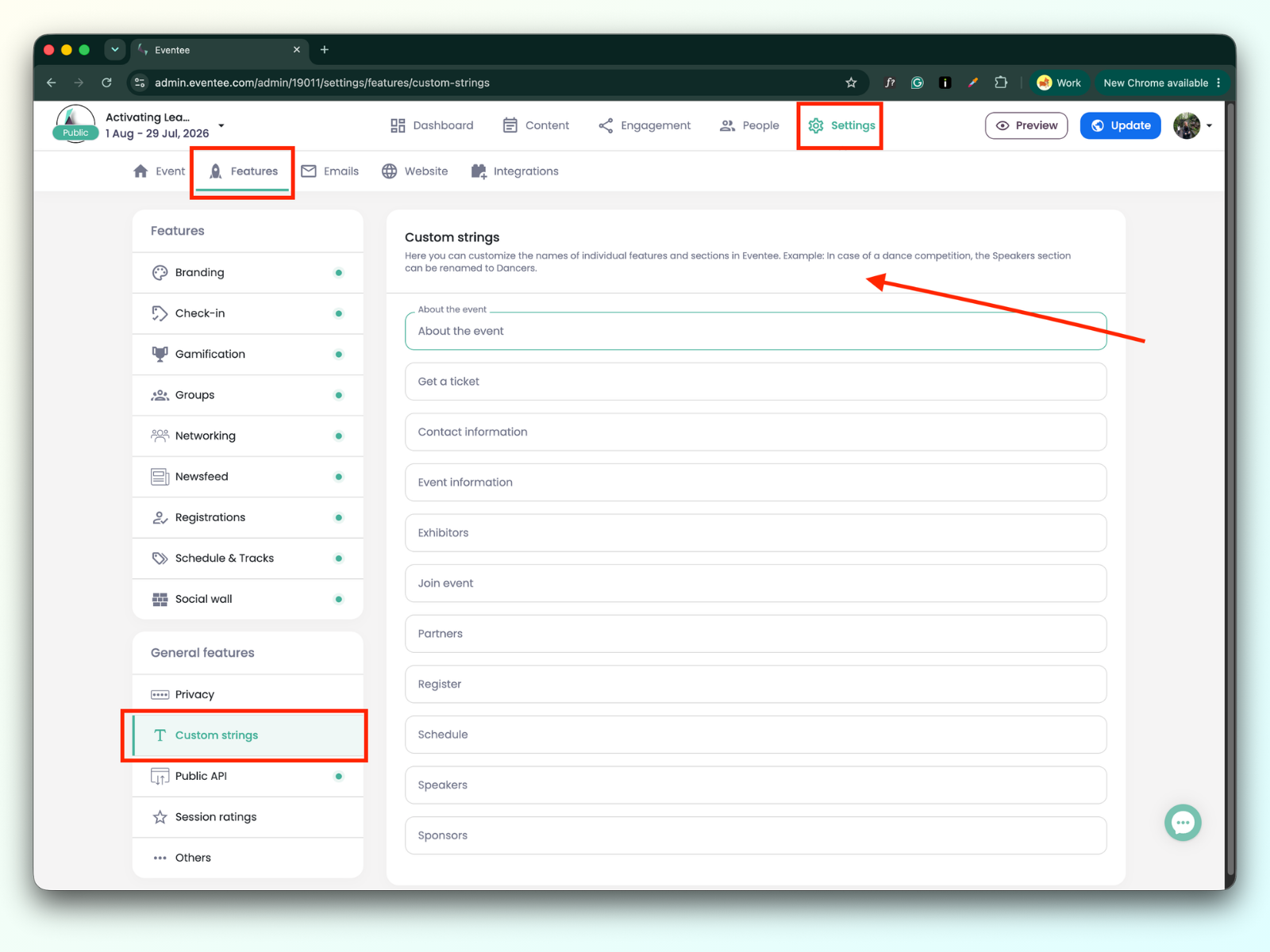
Po zapisaniu ciąg zostanie zmieniony na wszystkich platformach Eventee.