You can manage everything either via the web administration or straight from the Eventee mobile app. Just make sure you are logged in with the right moderator account.
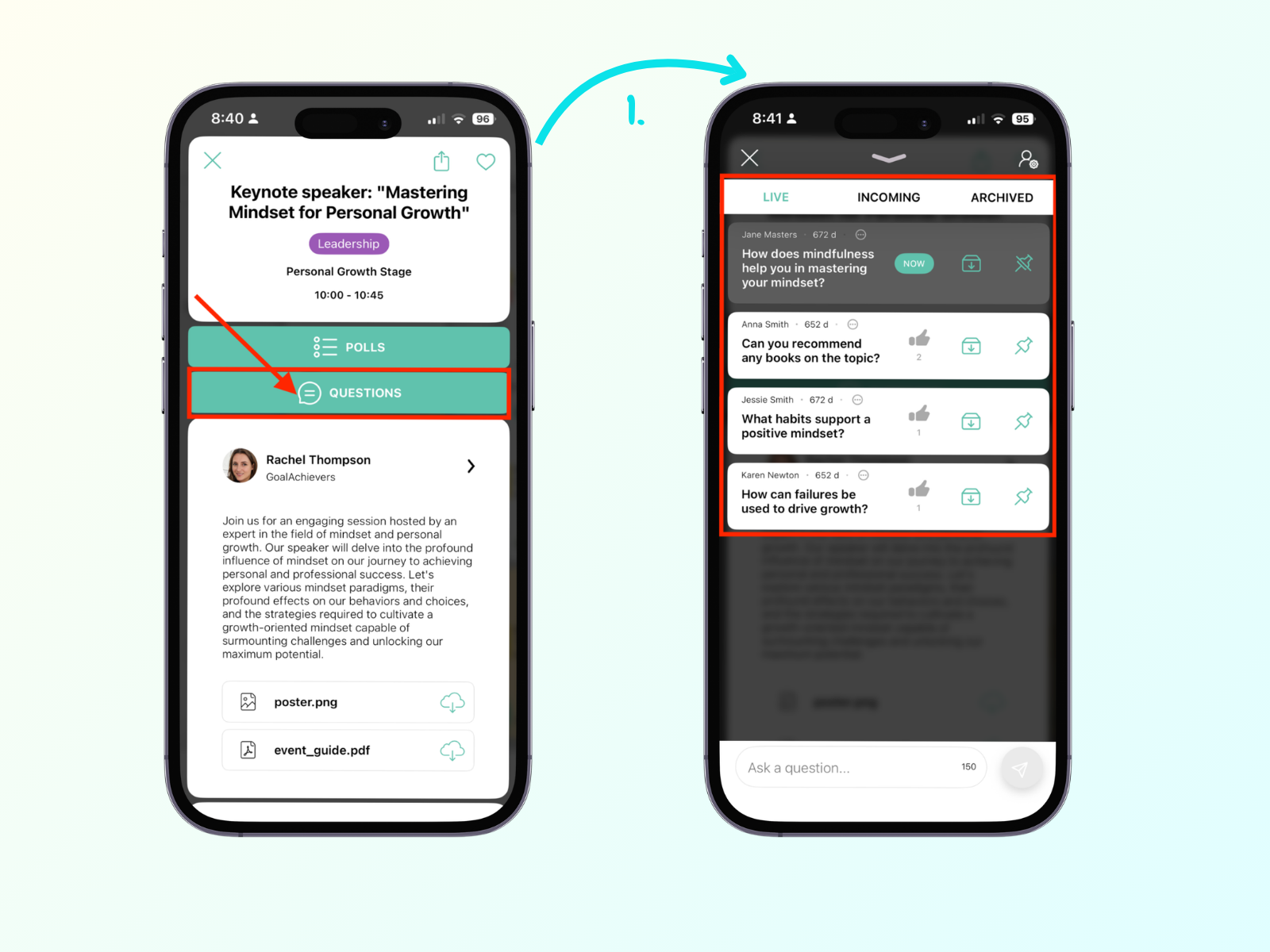
To see questions for a specific session, navigate to Program and open the session. In the session detail, click Questions. Now, you should see the management interface with live, incoming, and archived questions.
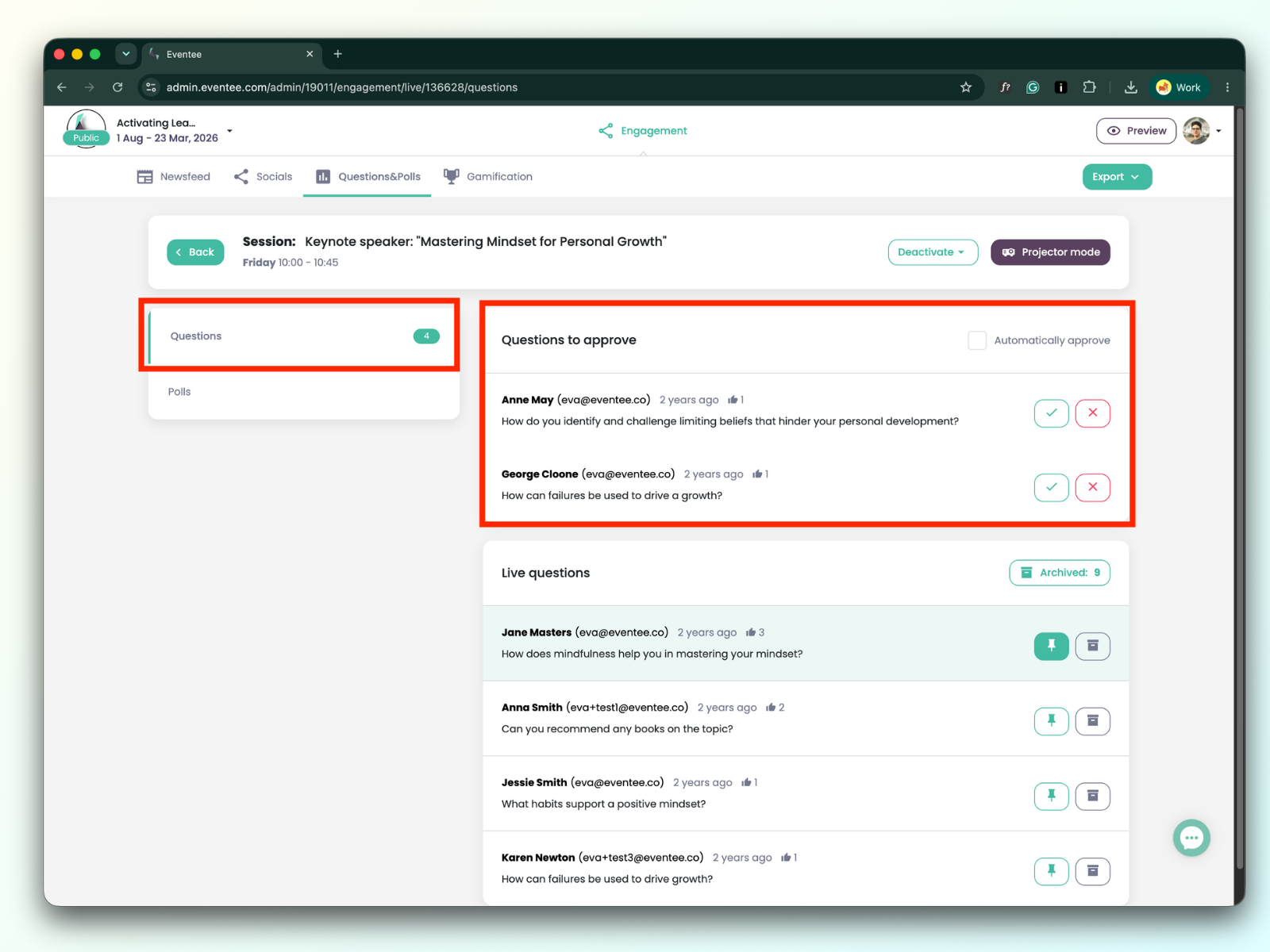
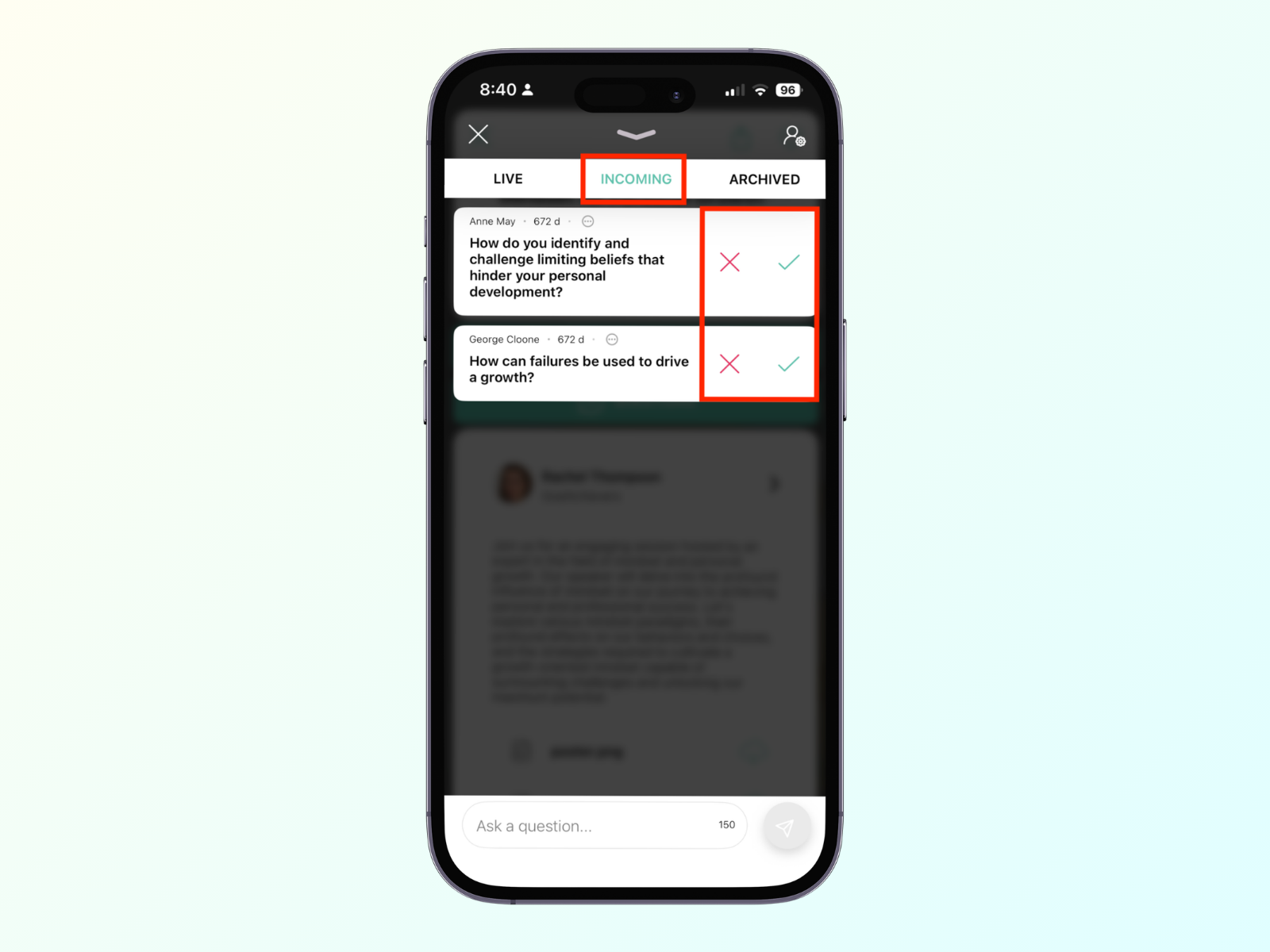
Unless the event organizer has turned on automatic approval, you can act as the gatekeeper. Attendees will not see a question until you approve it.
How to manage: Look at the incoming queue of questions. Click Approve to push a question live to the audience, or Reject to dismiss it.
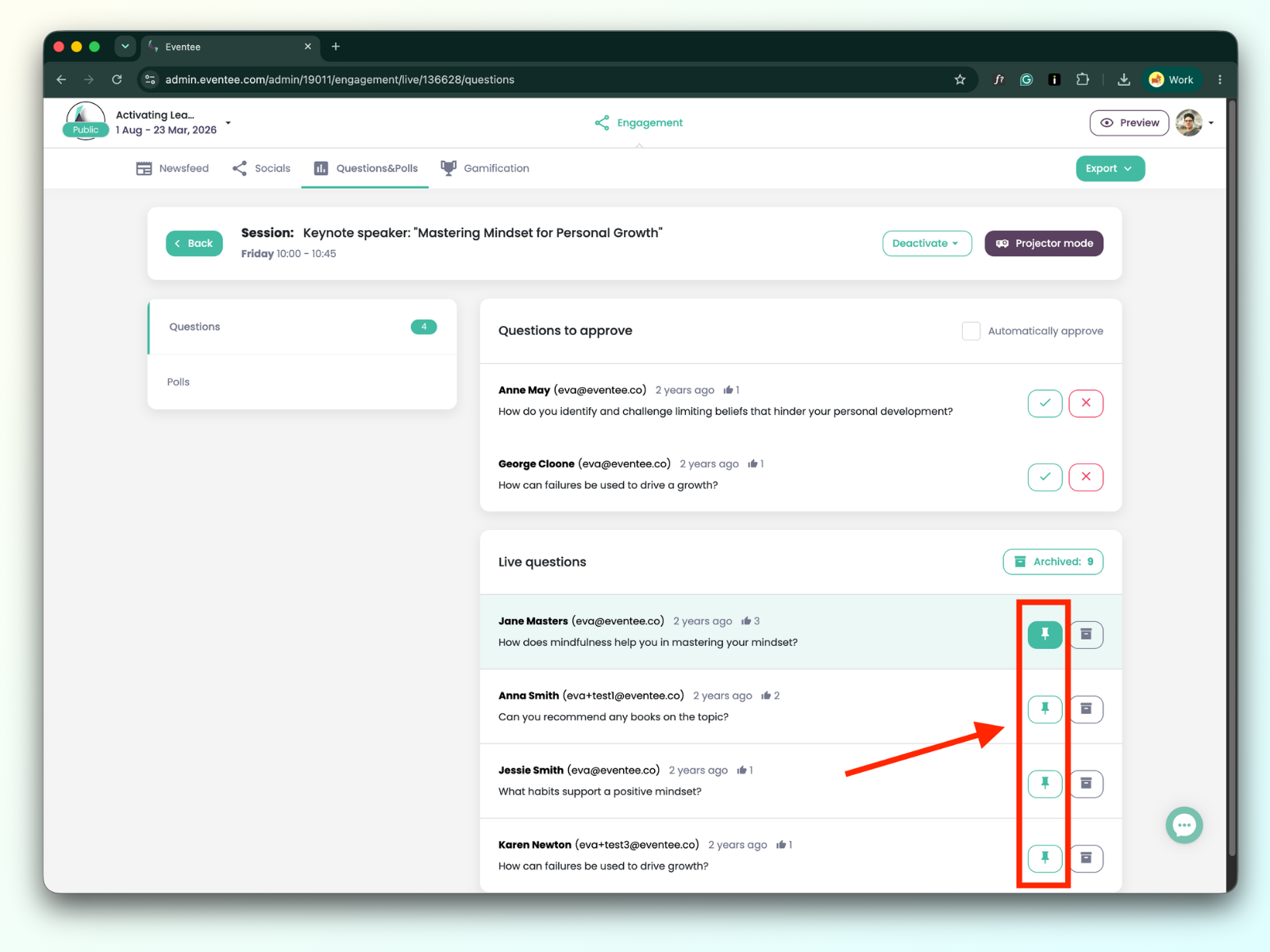
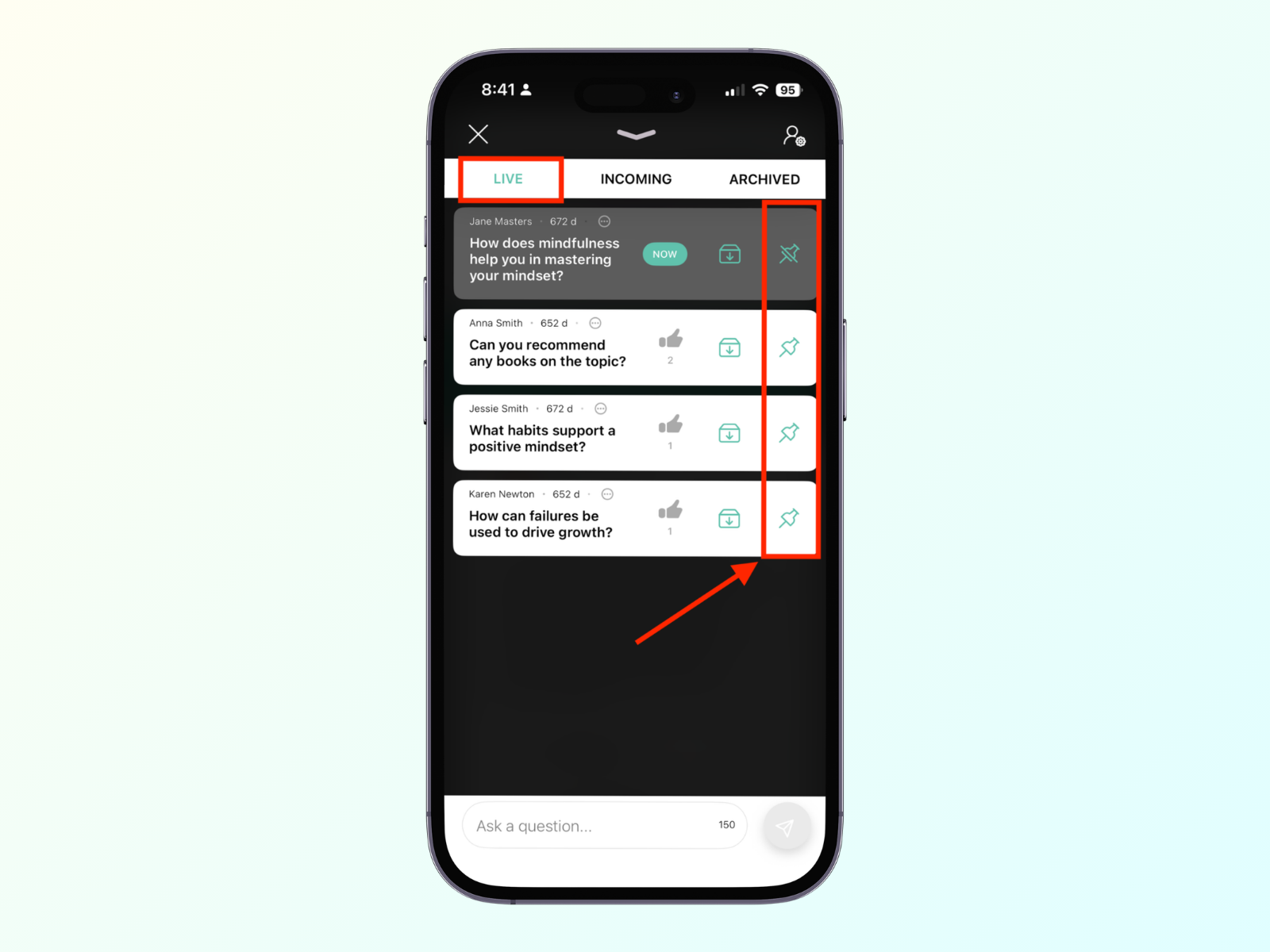
To keep the audience focused, you can Pin a specific question, which takes that exact question to the very top of the live feed and highlights it on the main projector screen.
How to manage: Click the pin icon to pin a question. You can use this the moment a speaker begins answering a specific question, so everyone knows what is being discussed.
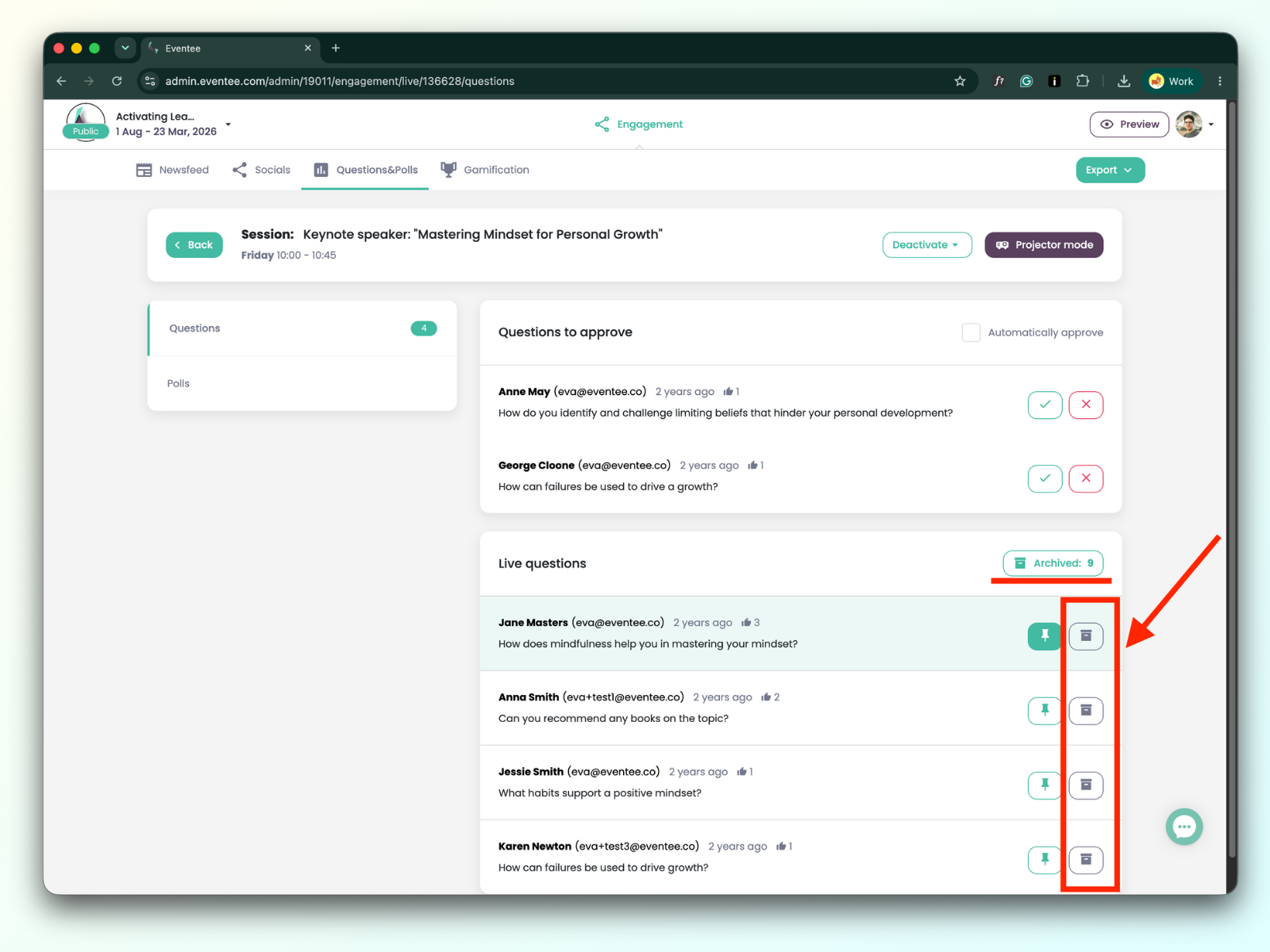
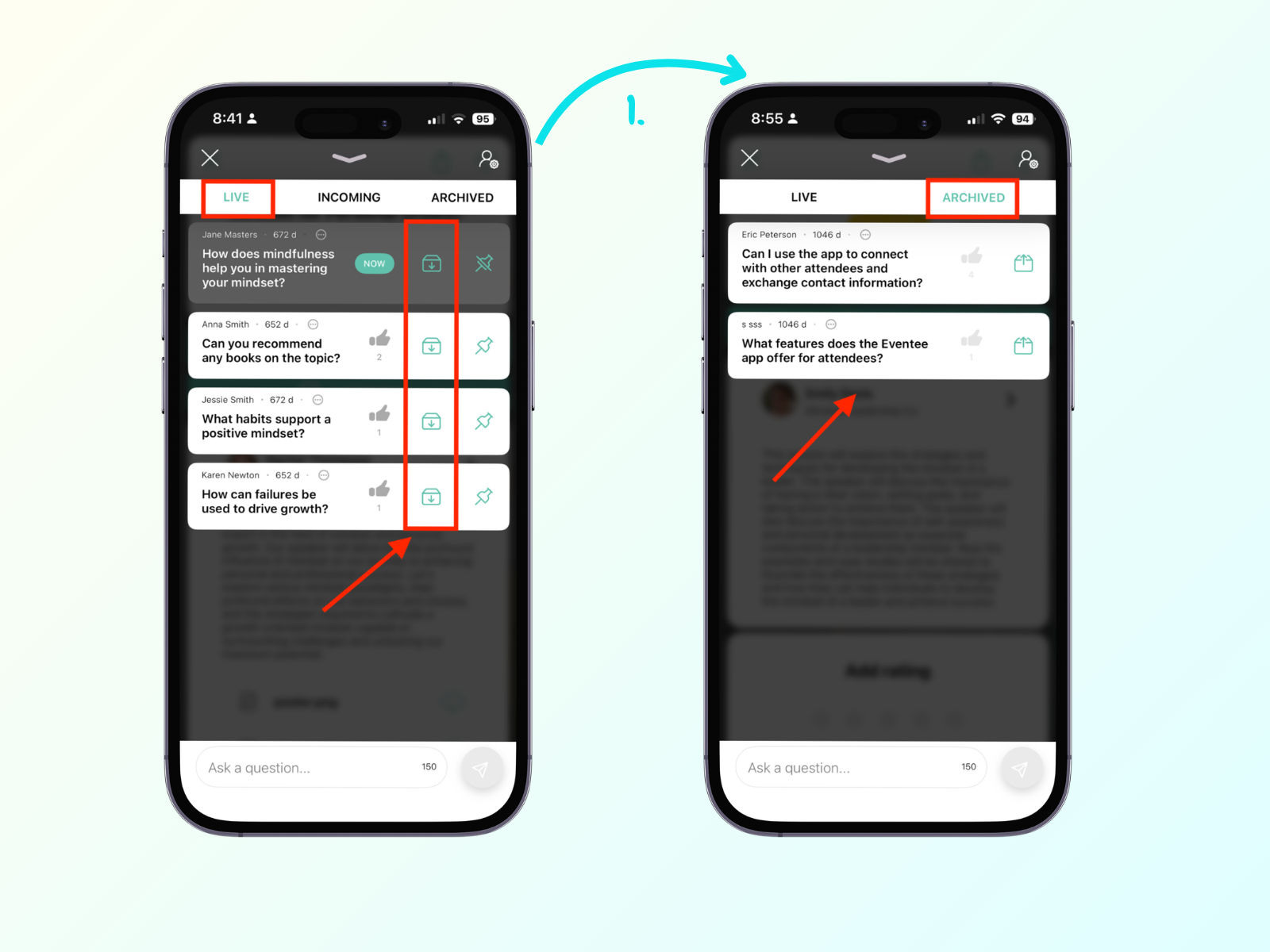
To keep your feed clean and track what has been covered, you can archive questions. This hides it from the live attendee view.
How to manage: Hit the Archive button as soon as a speaker finishes answering a question so they can easily focus on the remaining unanswered questions.
If you are also managing the stage screens, you can activate the Projector mode to show questions on a big screen. This can only be done from the web administration panel, not the mobile app.