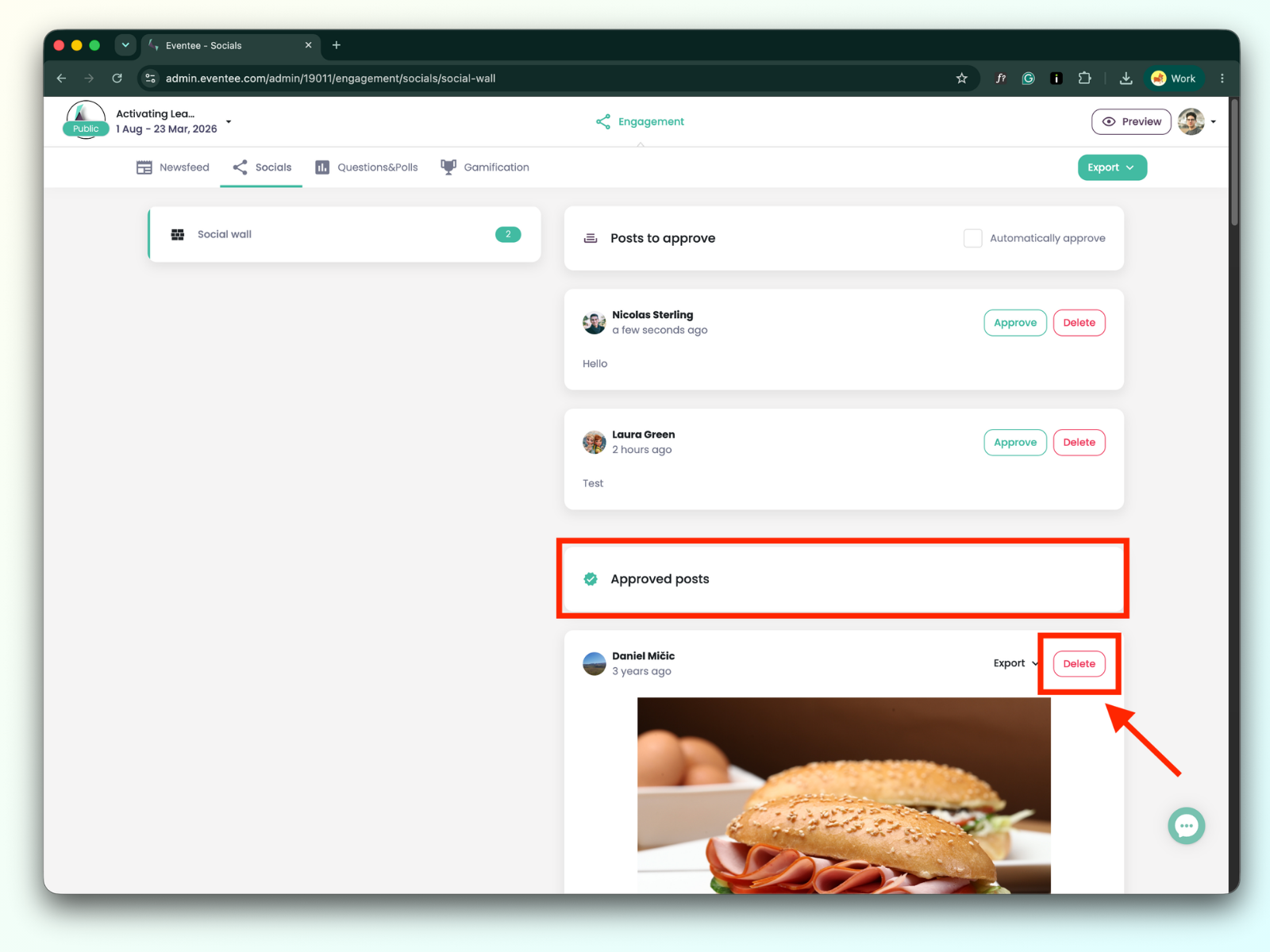
You can manage everything via the web administration. For now, full management is not yet available via the Eventee mobile app. Just make sure you are logged in with the right moderator account.
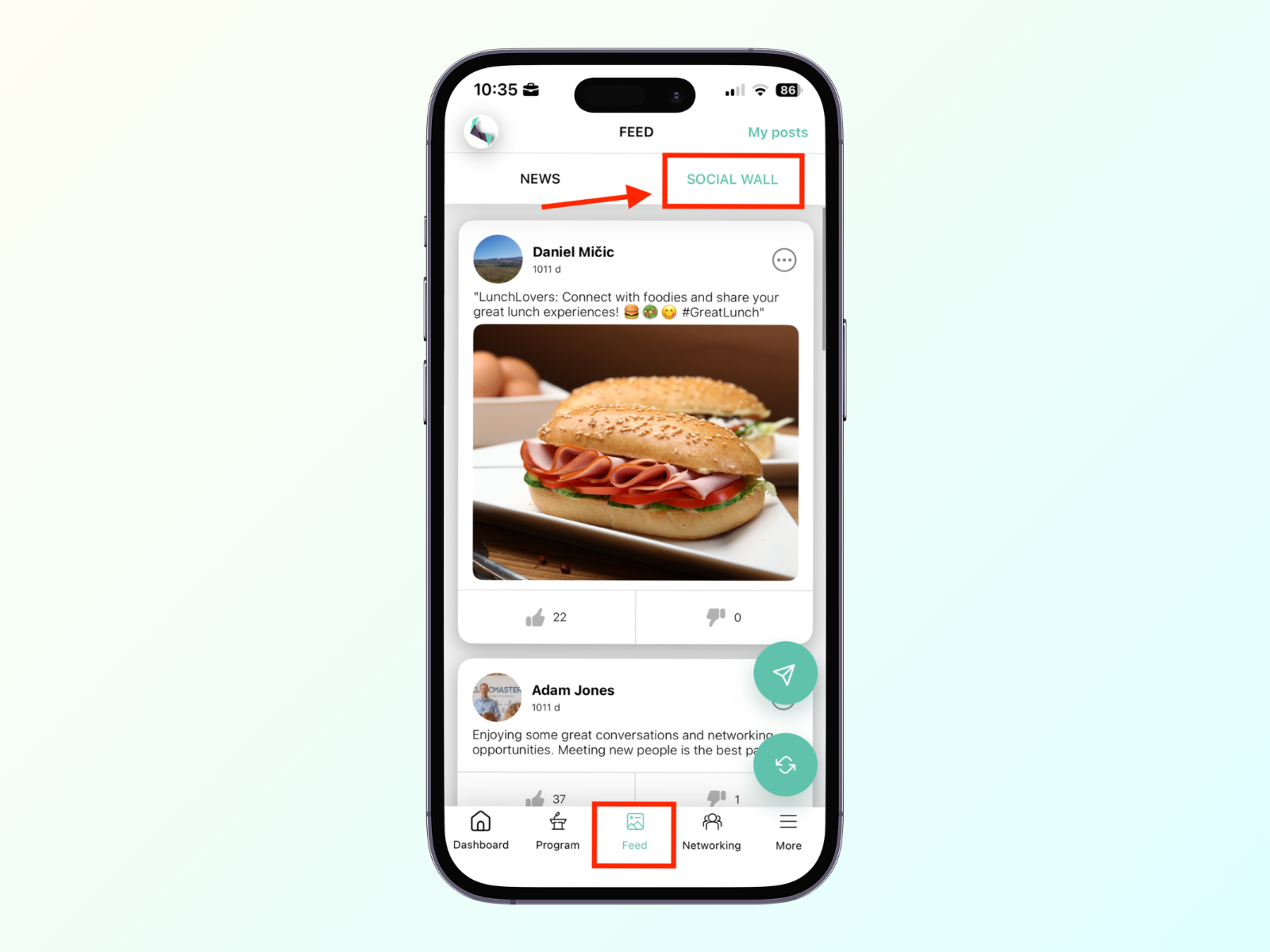
To view the Social wall feed, look for the Social wall tab within the Feed interface. Attendees use this space to share their event experiences through posts.
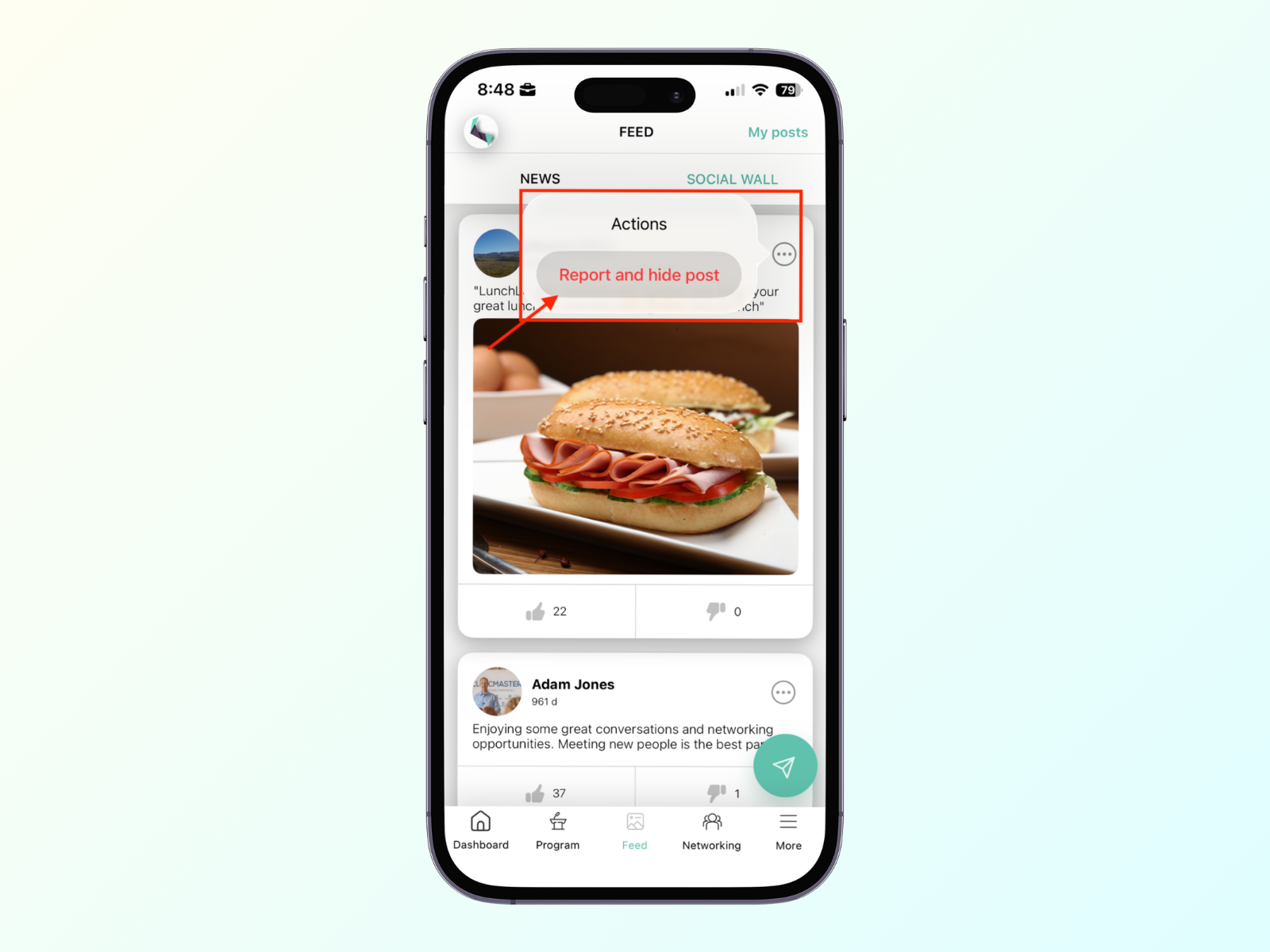
As a moderator, you can only report inappropriate content or send your own post on your mobile device; approving or deleting attendees’ posts can only be done in the web administration.
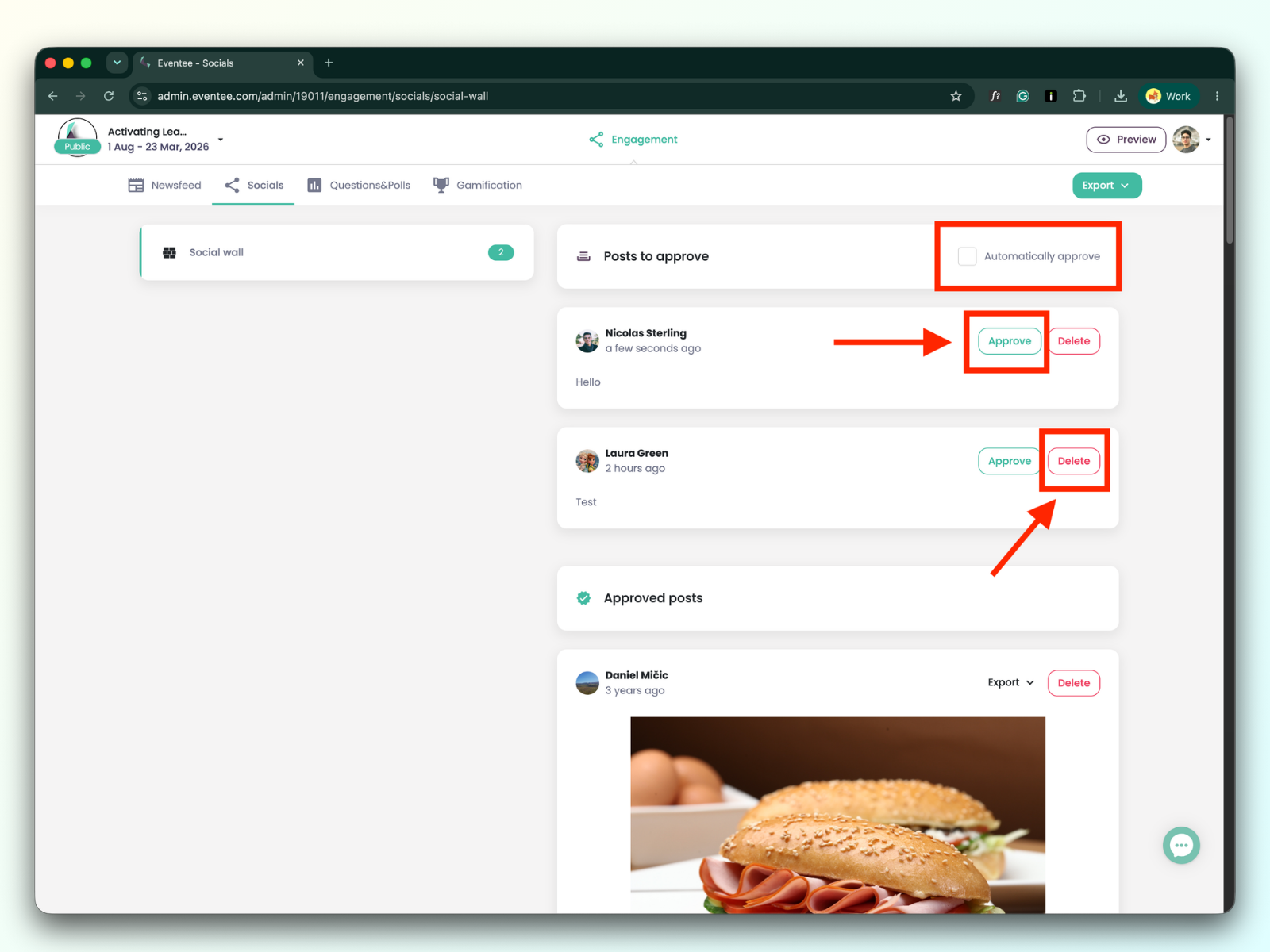
Unless the event organizer has enabled automatic approval, you can act as the gatekeeper, filtering out irrelevant or spam content.
How to manage: Review the queue of incoming content and click Approve to push it live on the wall, or Reject to dismiss it.
Even if automatic approval is turned on (or if you accidentally approve a post), you still have full control over the Social wall feed.
How to manage: If you spot an inappropriate post, you can delete it immediately. Deleting a post from the Social Wall is permanent and cannot be undone, so make sure you're certain before proceeding.