You can manage everything either via the web administration or straight from the Eventee mobile app. Just make sure you are logged in with the right moderator account.
Navigate to the Feed tab in the mobile app and look for the highlighted Send button (available only to administrators and moderators). Tapping it will open the New post screen where you can draft your message.
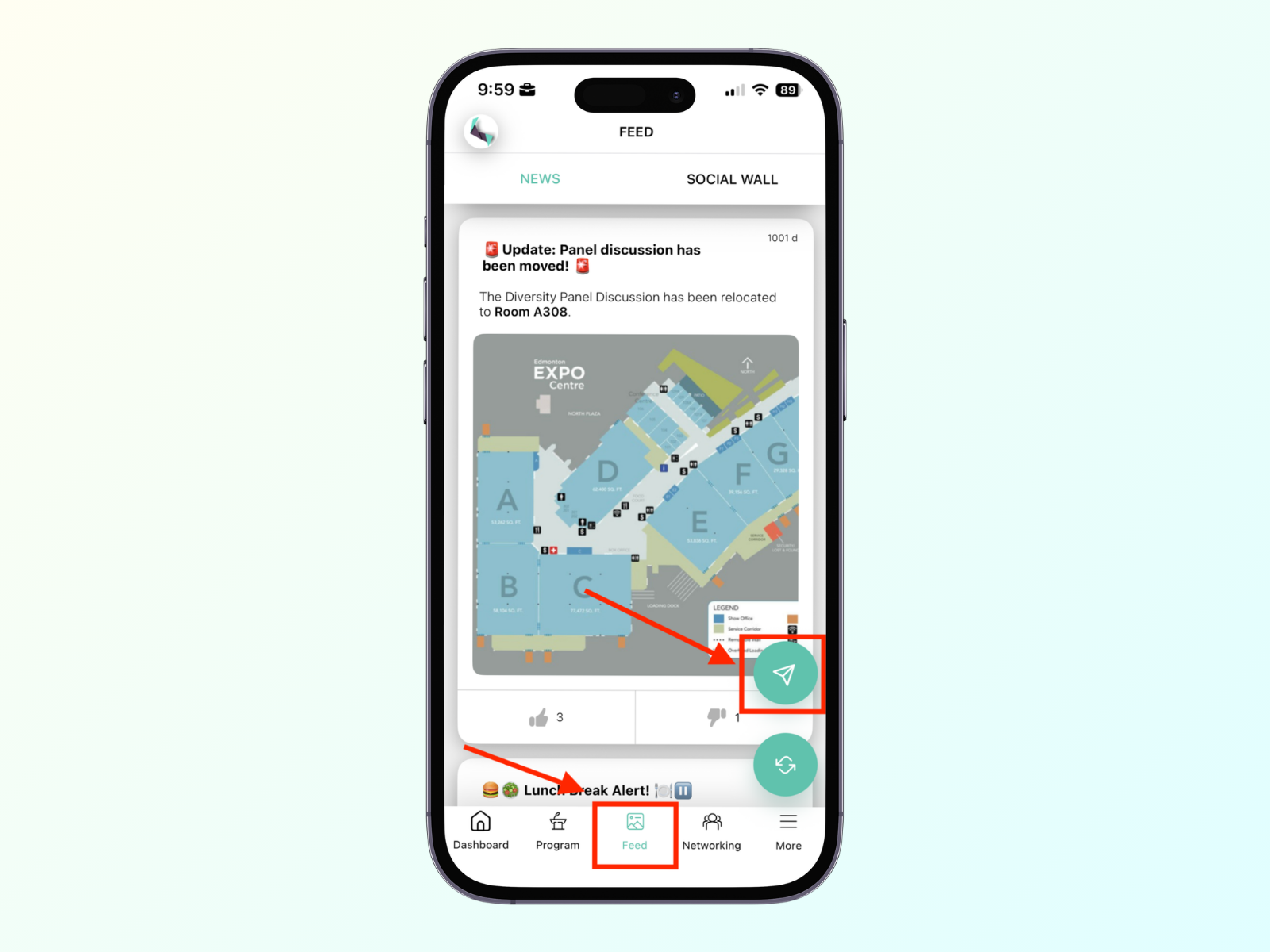
You can write and publish Newsfeed posts instantly during the event to handle on-the-fly updates, crowd control, or quick reminders.
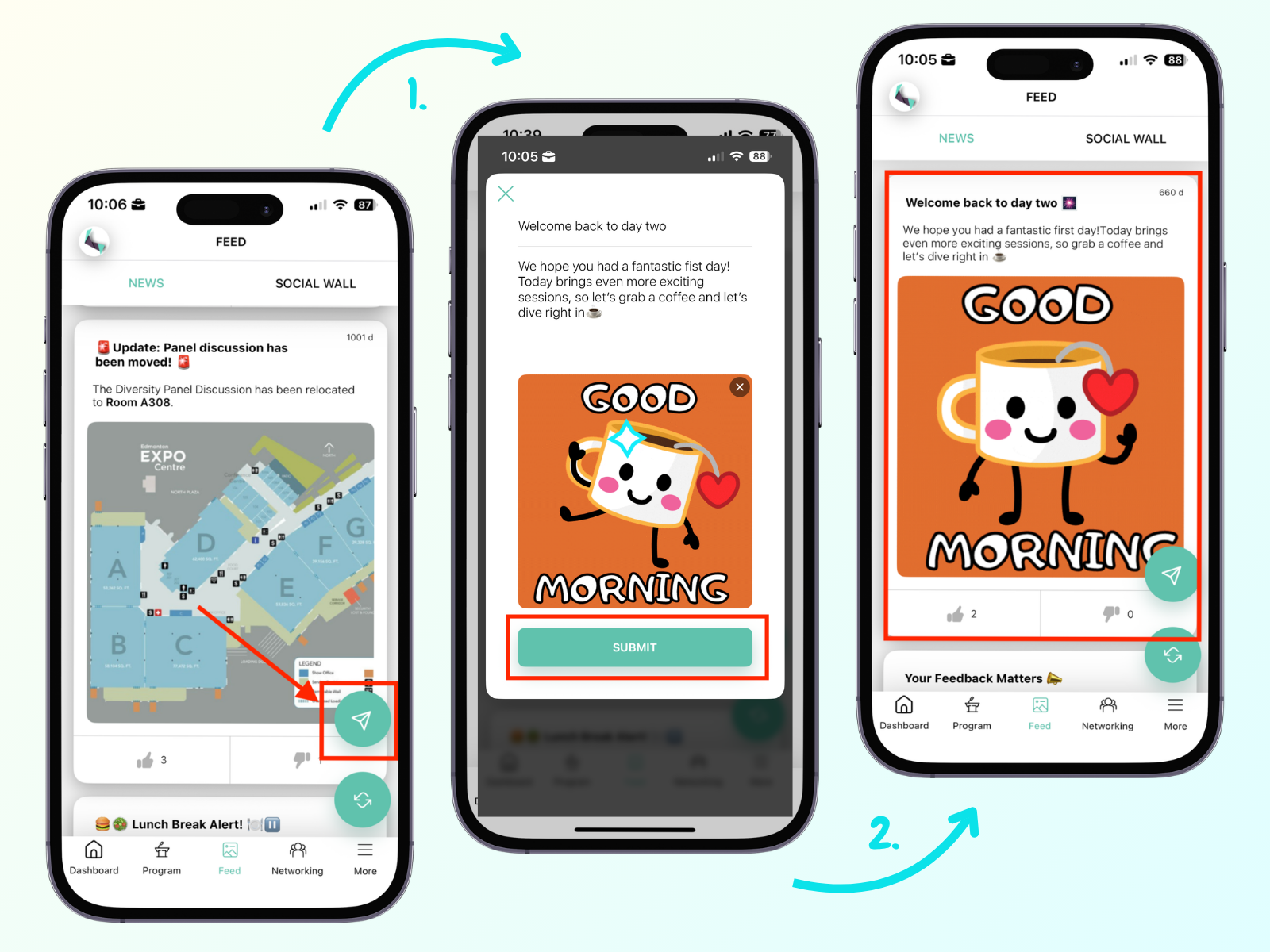
How to manage: Type your message and add media (like images or GIFs) if you like. Tap Submit to publish your post instantly.
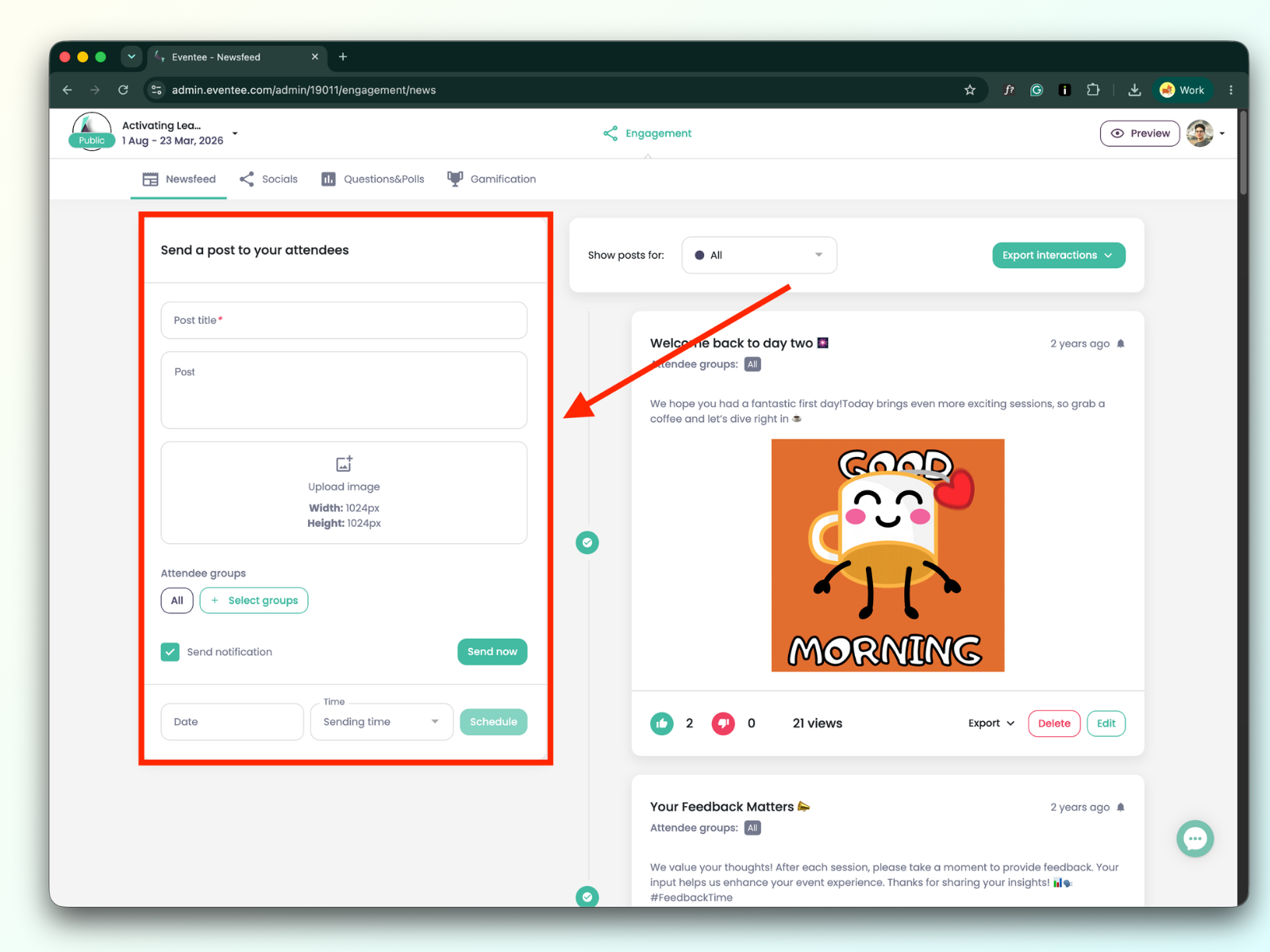
For predictable event milestones—like coffee breaks, lunch recommendations, or session feedback reminders—you can queue posts up ahead of time.
How to manage: Draft your post in the web administration, tab Engagement > Newsfeed. Tick off Send notification if you want to notify attendees. When you’re ready, set a release time and hit Schedule. Double-check your event's timezone settings in Eventee before scheduling to ensure the notification reaches your audience at the right time.