With our Check-in App, onboarding guests is now a matter of seconds. The process is effortless: scan the attendee’s unique QR code or manually check them off the list. Incoming unlisted attendees can be added to the list directly from the application.
Please note that the check-in feature is not available to all plans. Check our pricing page to see if it is included in yours.
In Settings → Features → Check-in, you can turn on our check-in feature.
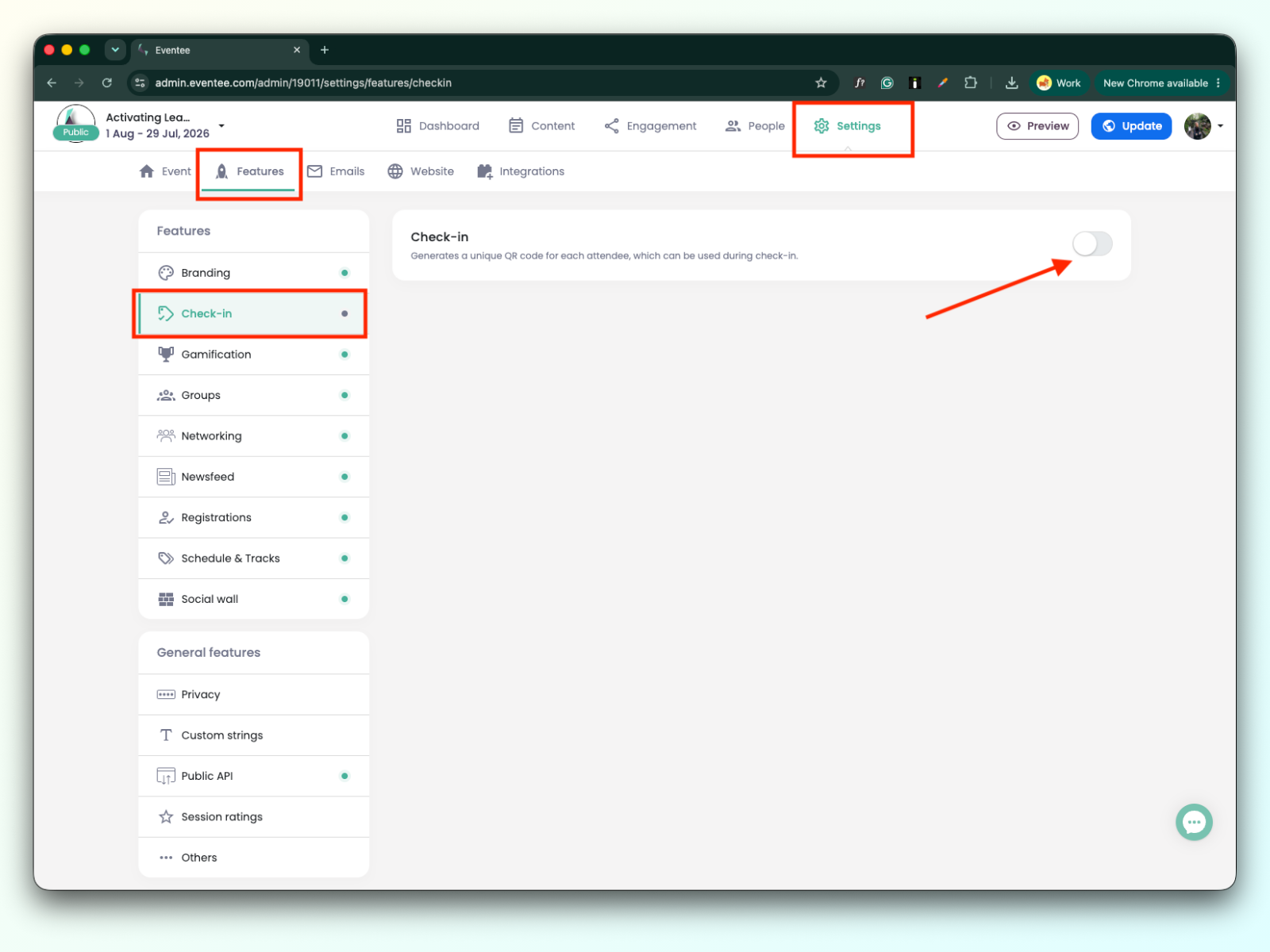
Once the check-in feature is enabled, you can manage it from two places:
Settings → Features → Check-in
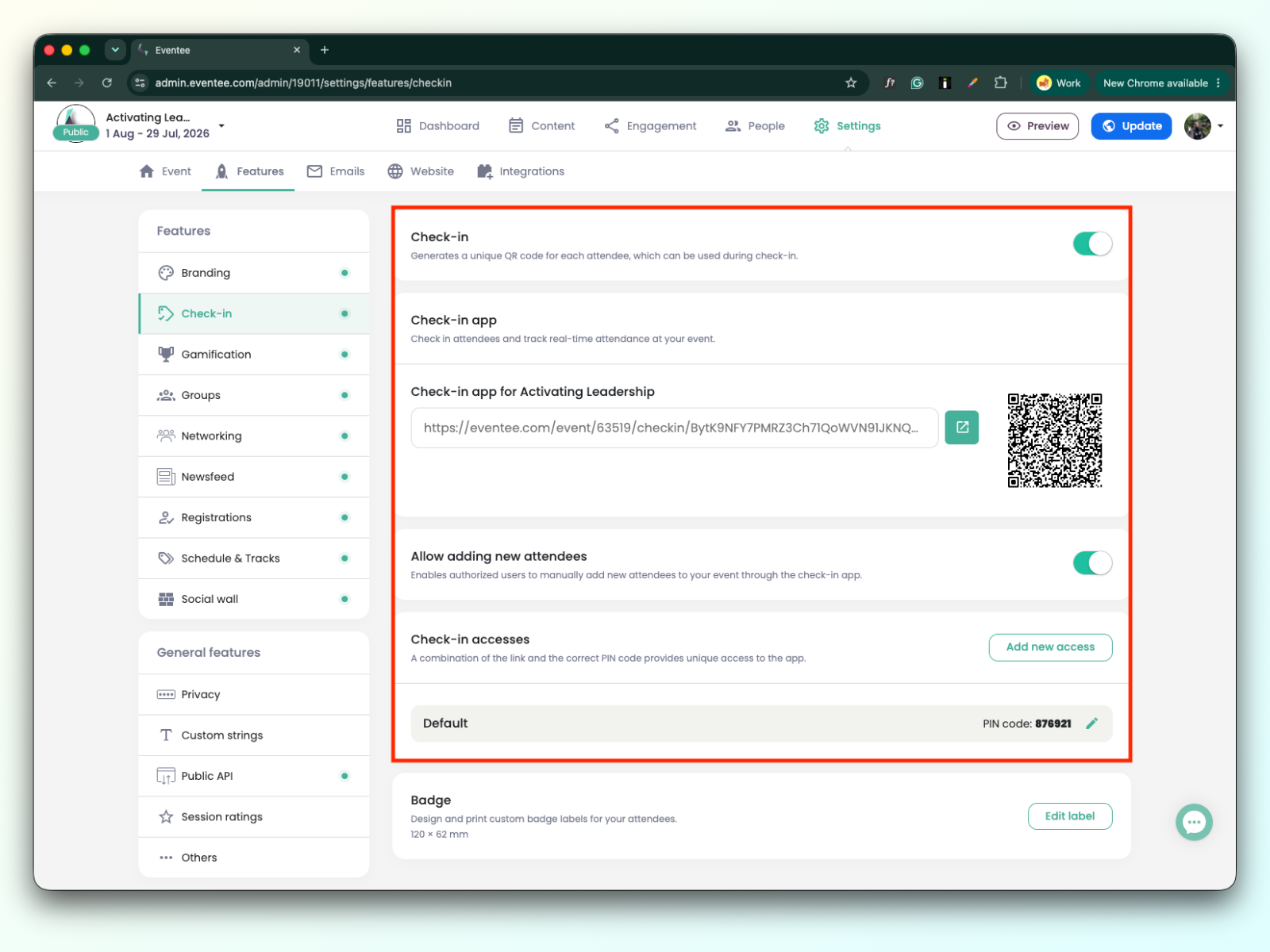
People → Attendees → Cogwheel icon in check-in filter
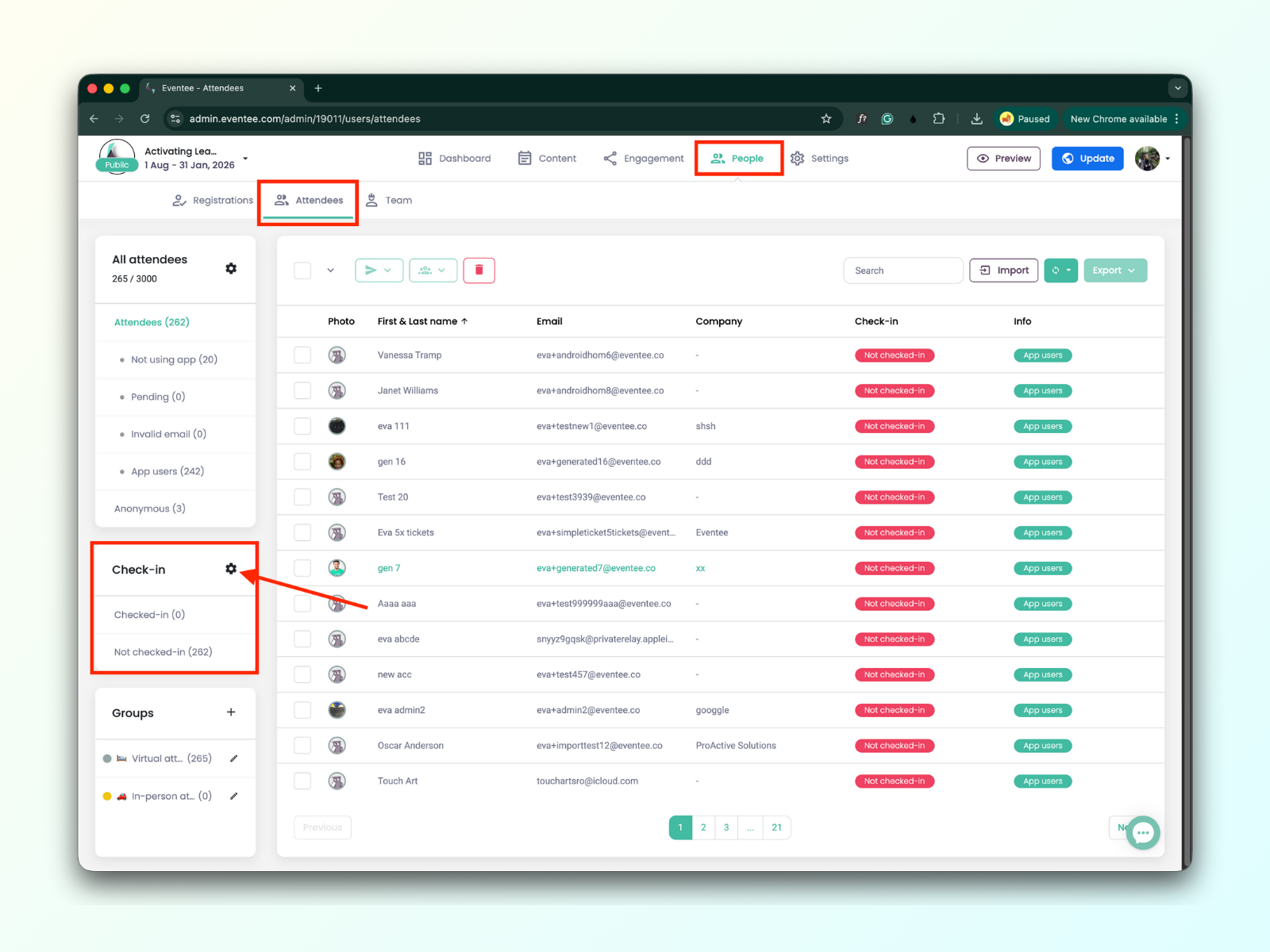

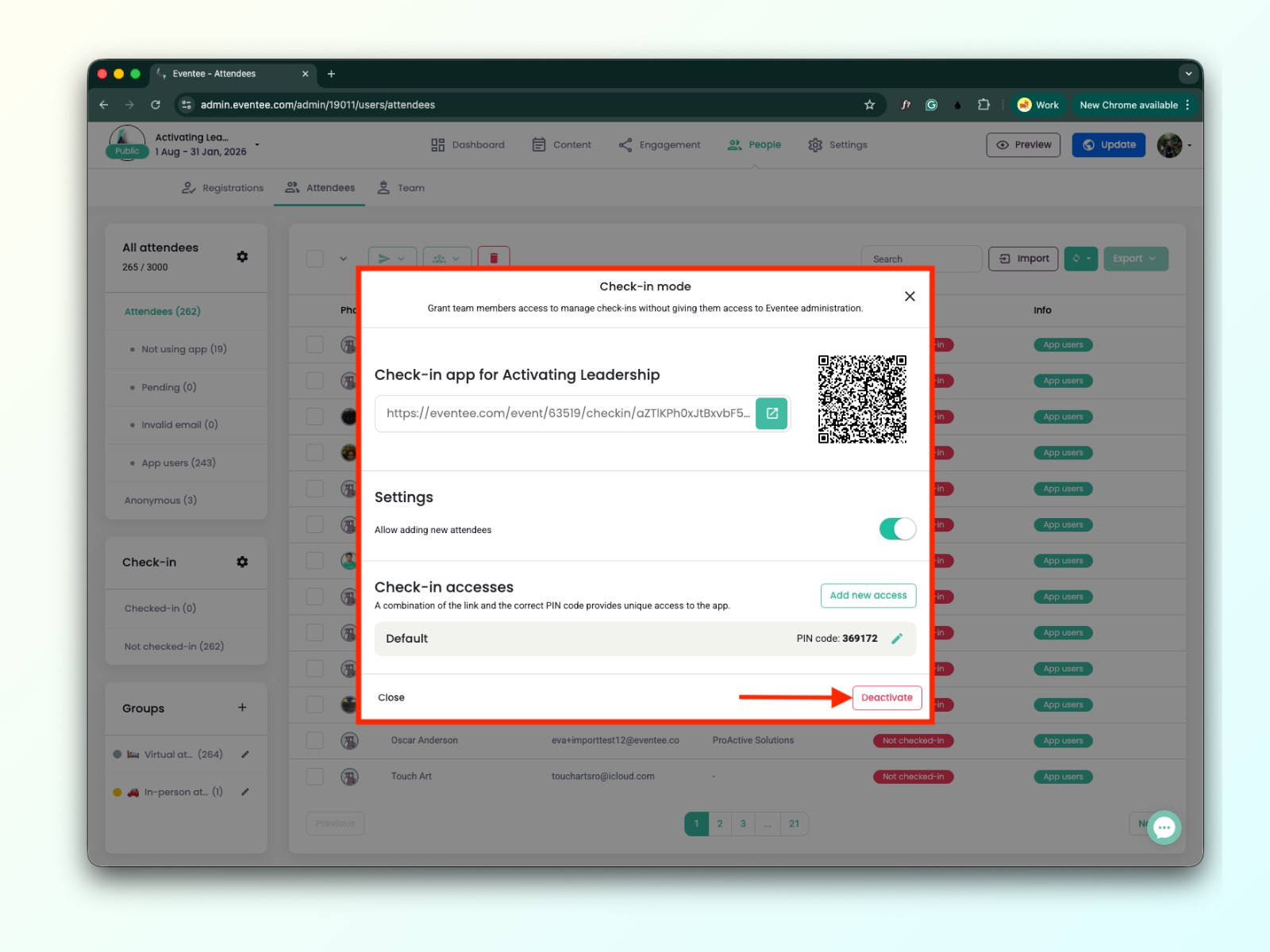
Clicking either the green ‘Manage’ button or the ‘Cogwheel icon’ opens the pop-up window with Check-in settings.
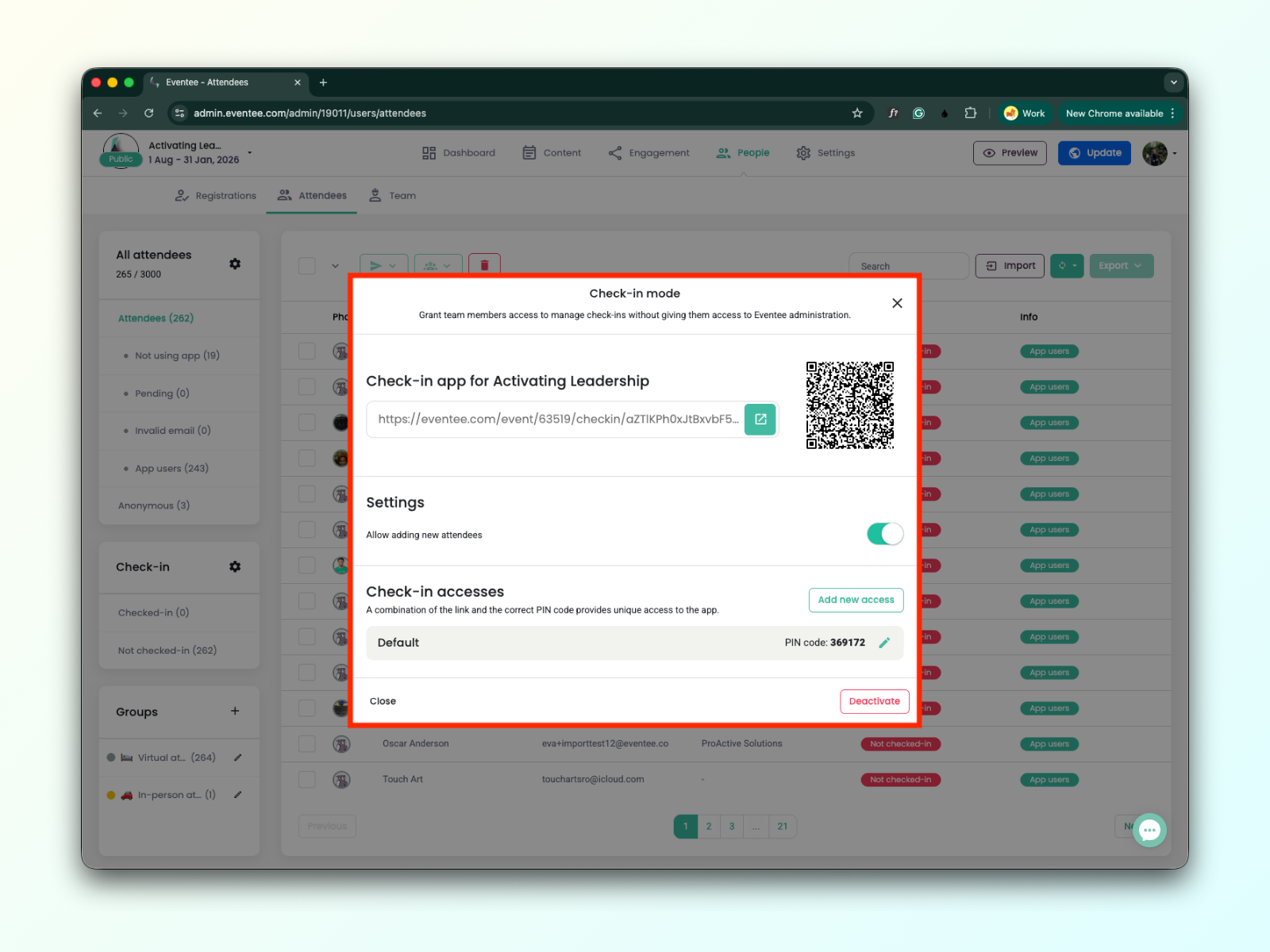
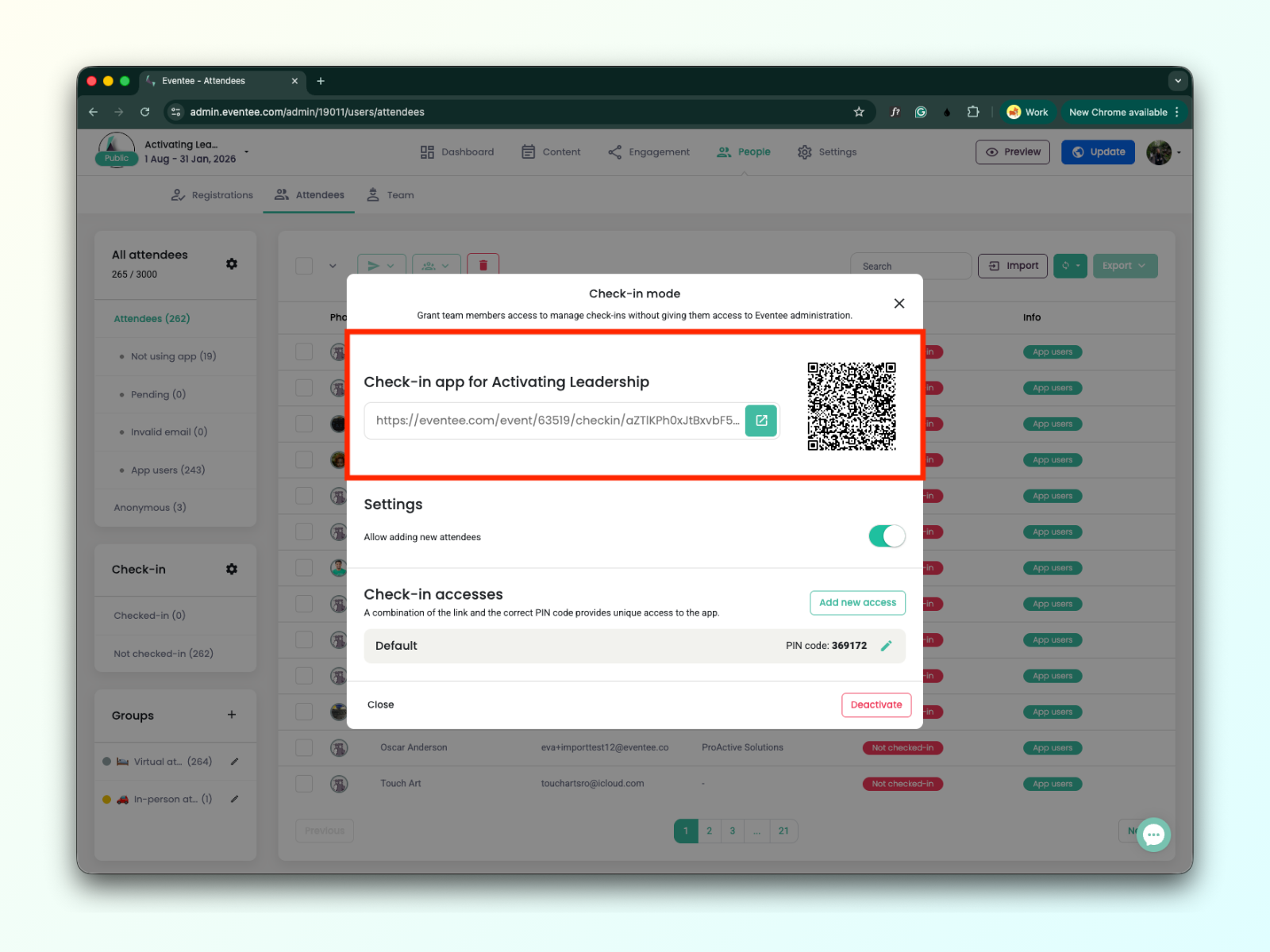
Here, you can find a unique deeplink and QR code to install the check-in app.
Check a detailed guide on How to install and open the check-in app.
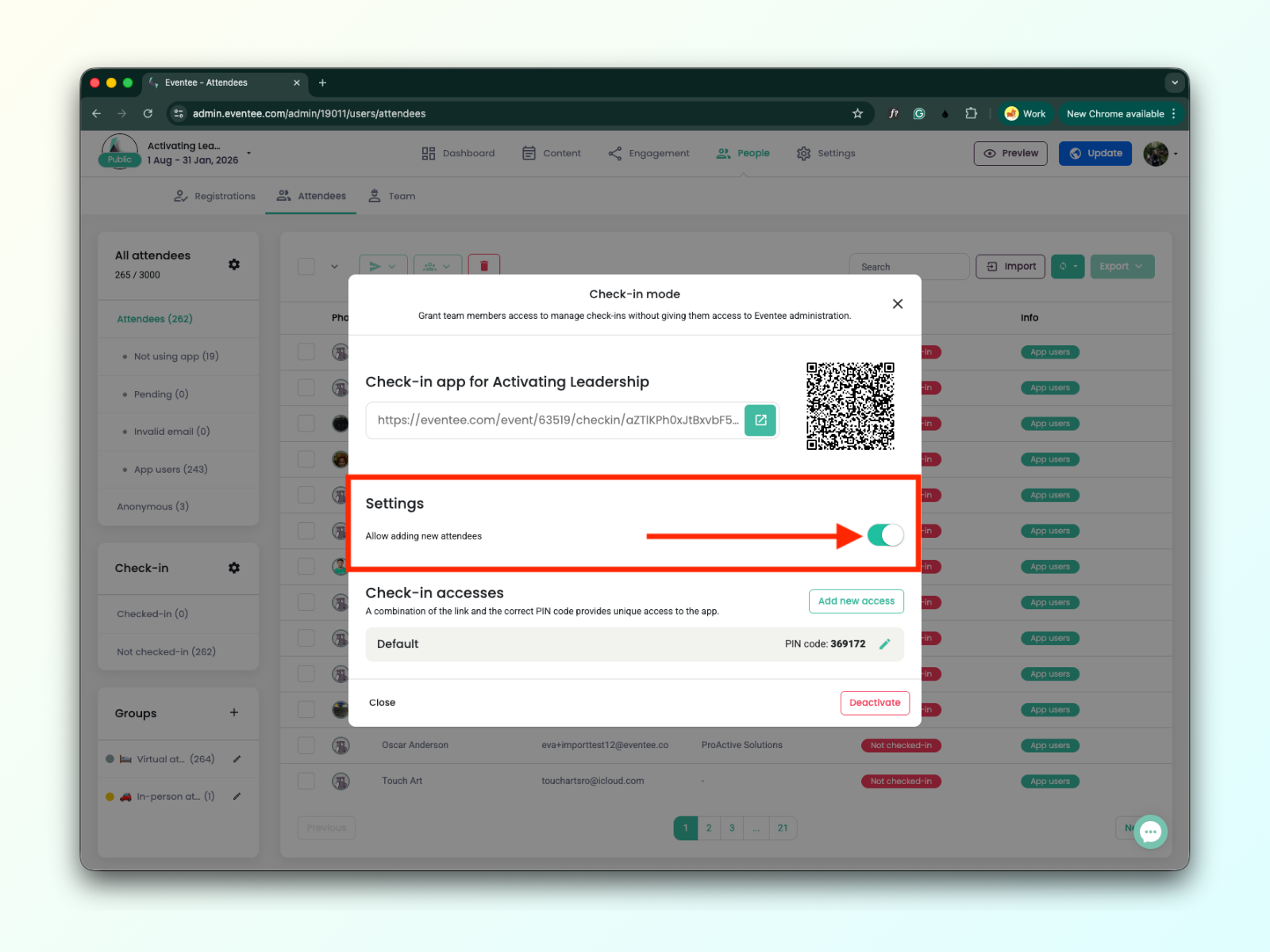
You can choose whether new attendees can be added in the check-in app.
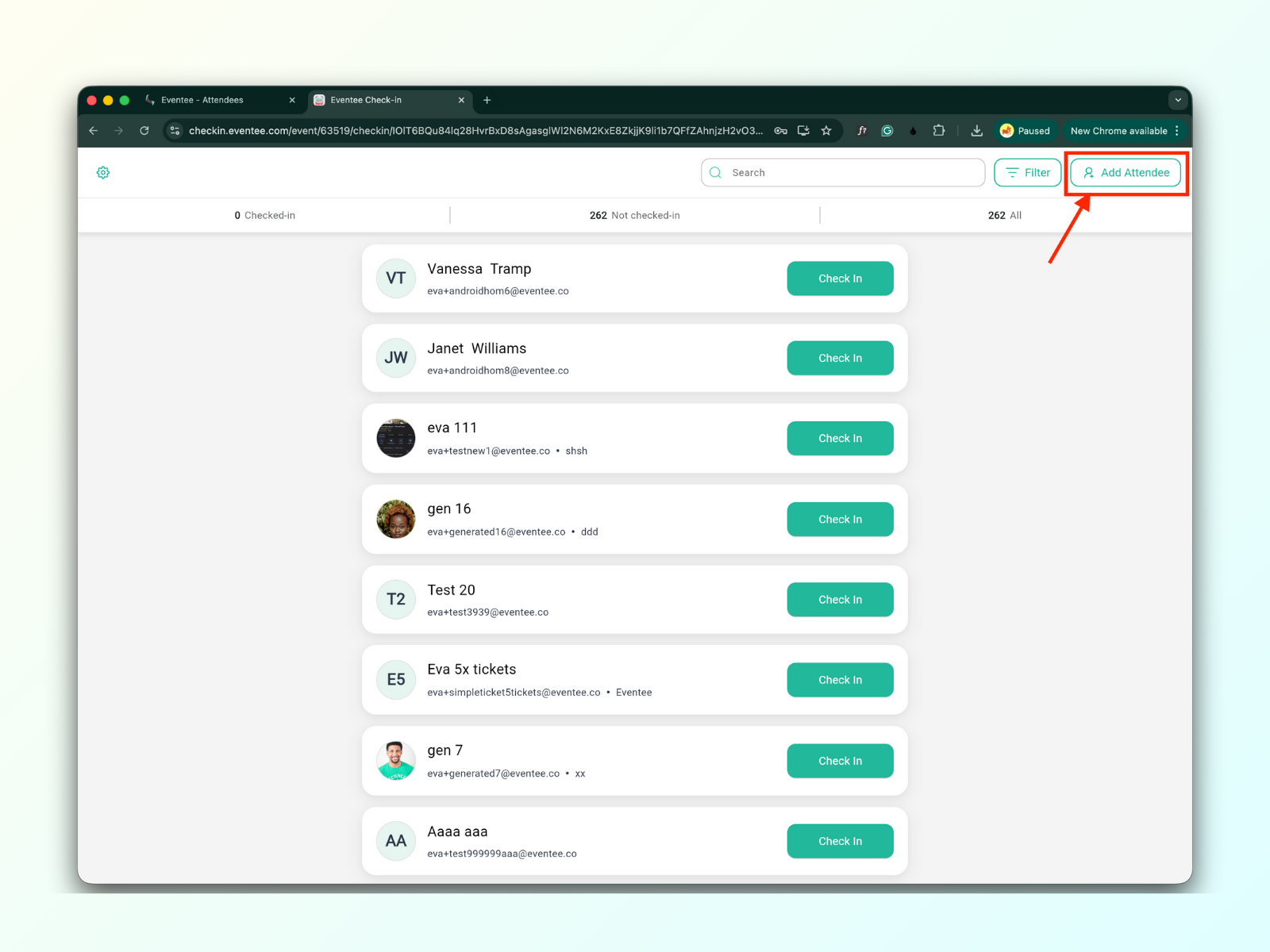
When enabled, an 'Add attendee' button appears in the check-in app. Learn more in How to add a new attendee in Check-in app.
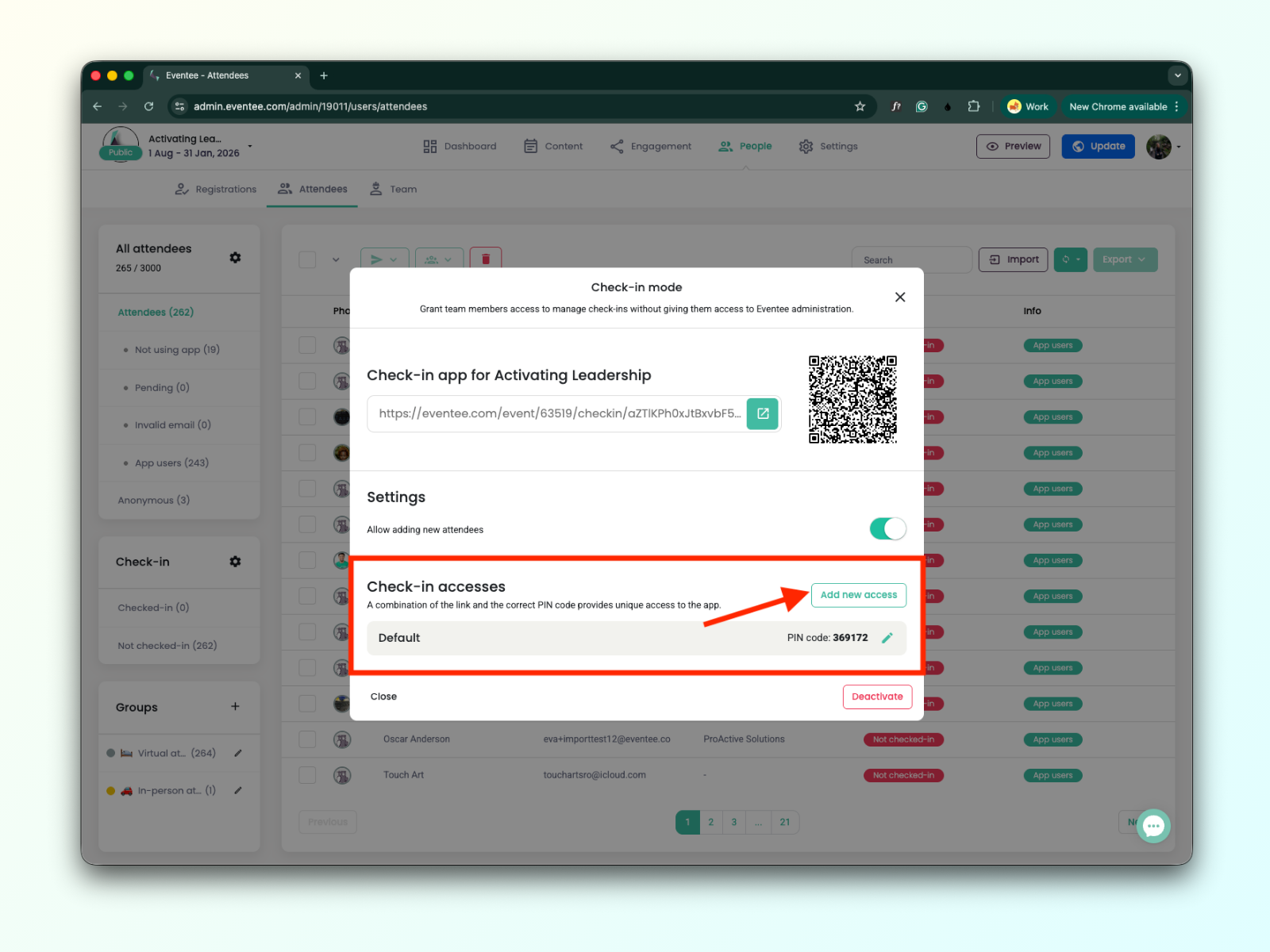
You can manage check-in accesses.
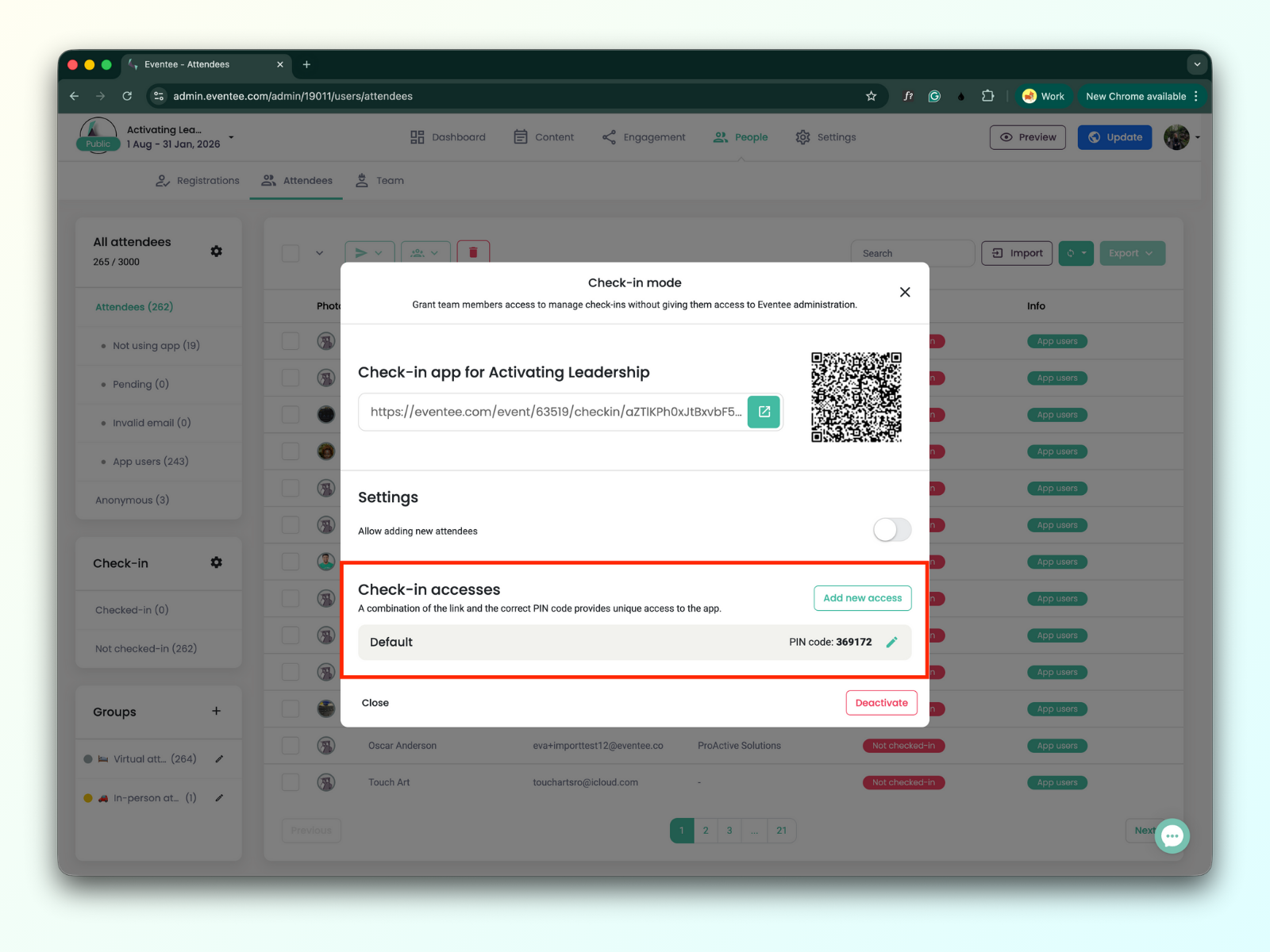
The check-in access is a 6-digit PIN code, which is entered on the check-in activation screen. You can use one PIN code for multiple people or create additional ones.
There is no limit on the number of check-in app accesses. For example, when you have five check-in staff members, you can assign five different app access accounts to them.
Clicking the button “Add new access” adds a new access to the app.
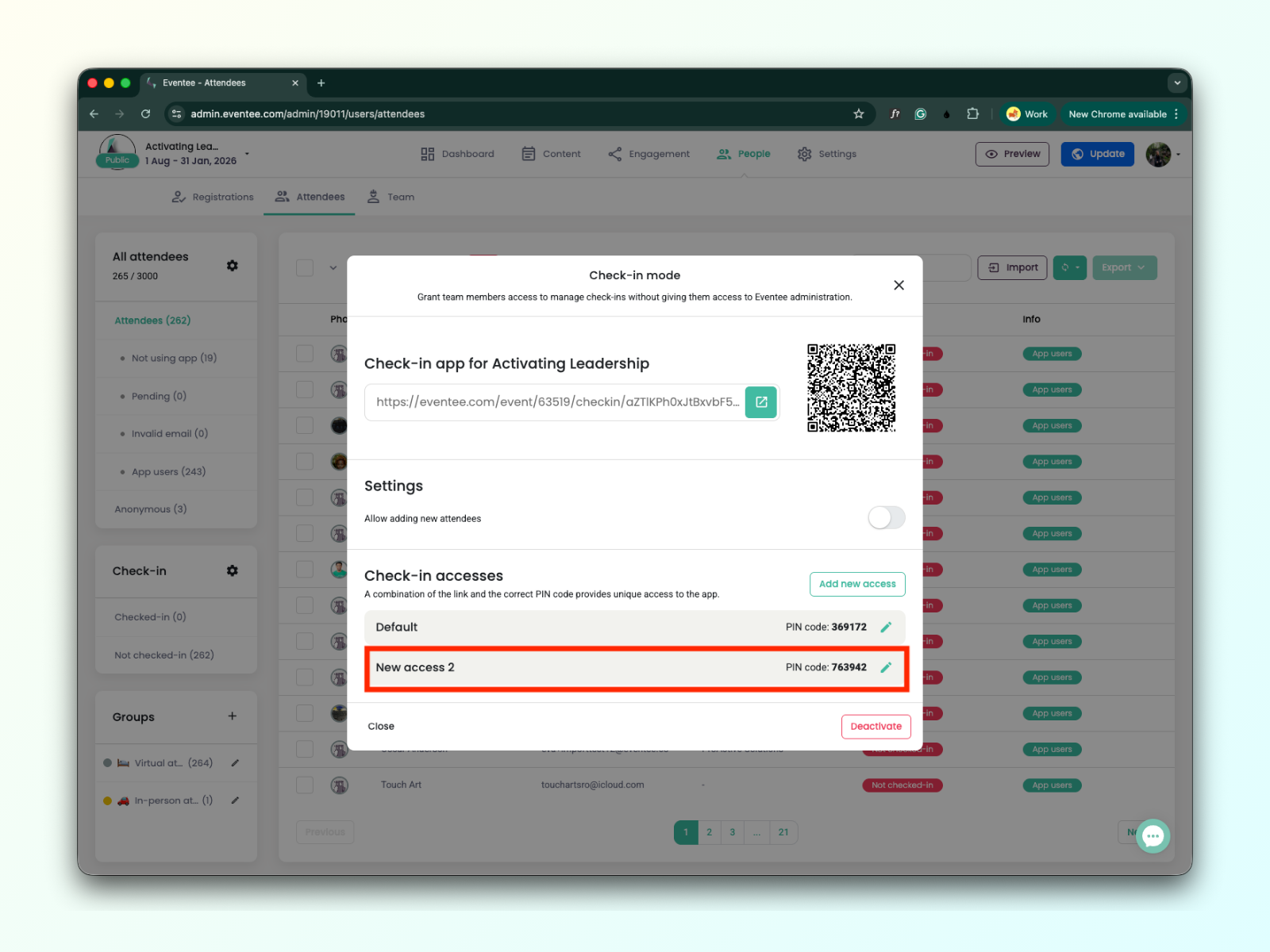
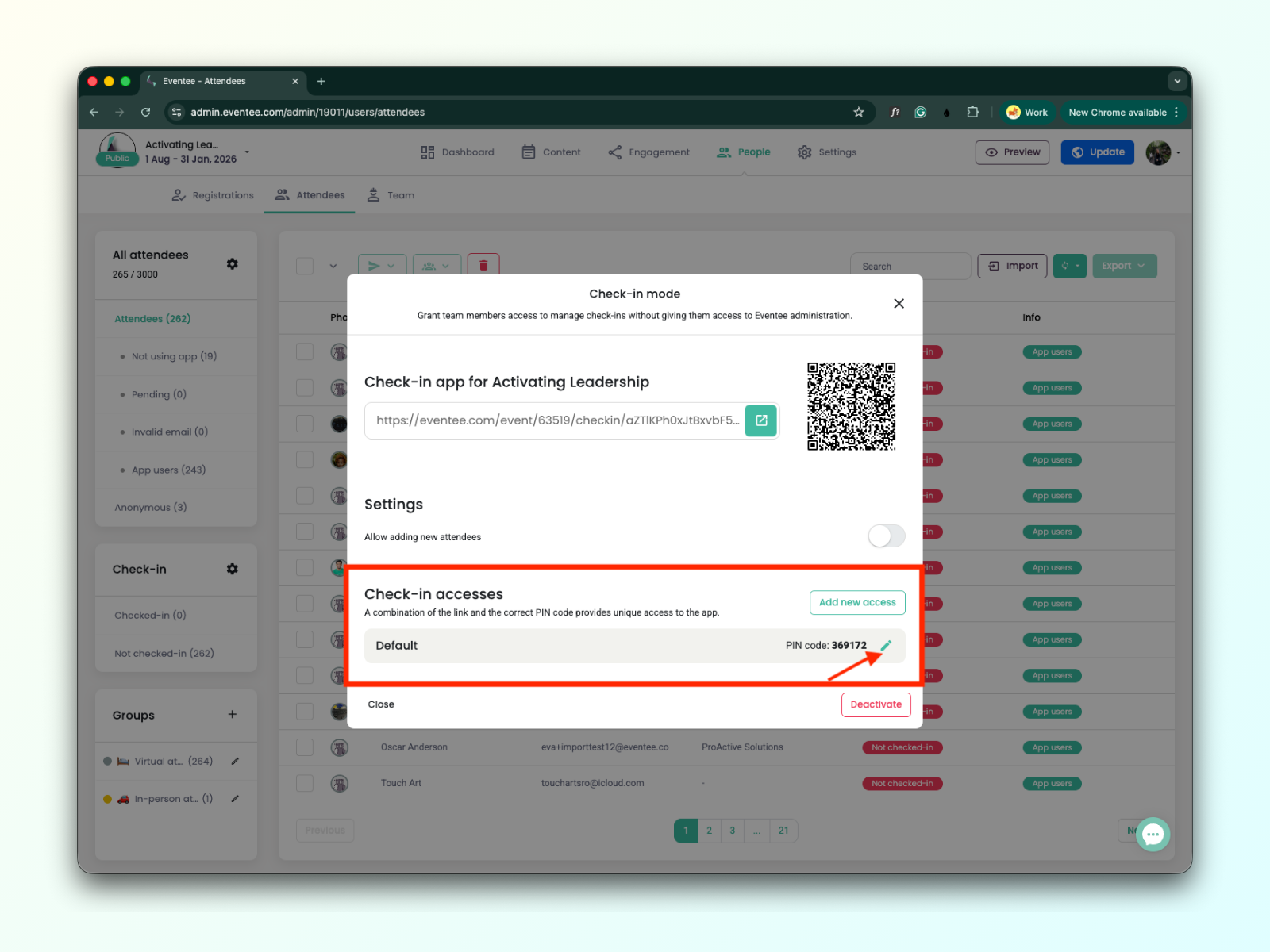
Each access can be edited by clicking on the ‘green pen icon’.
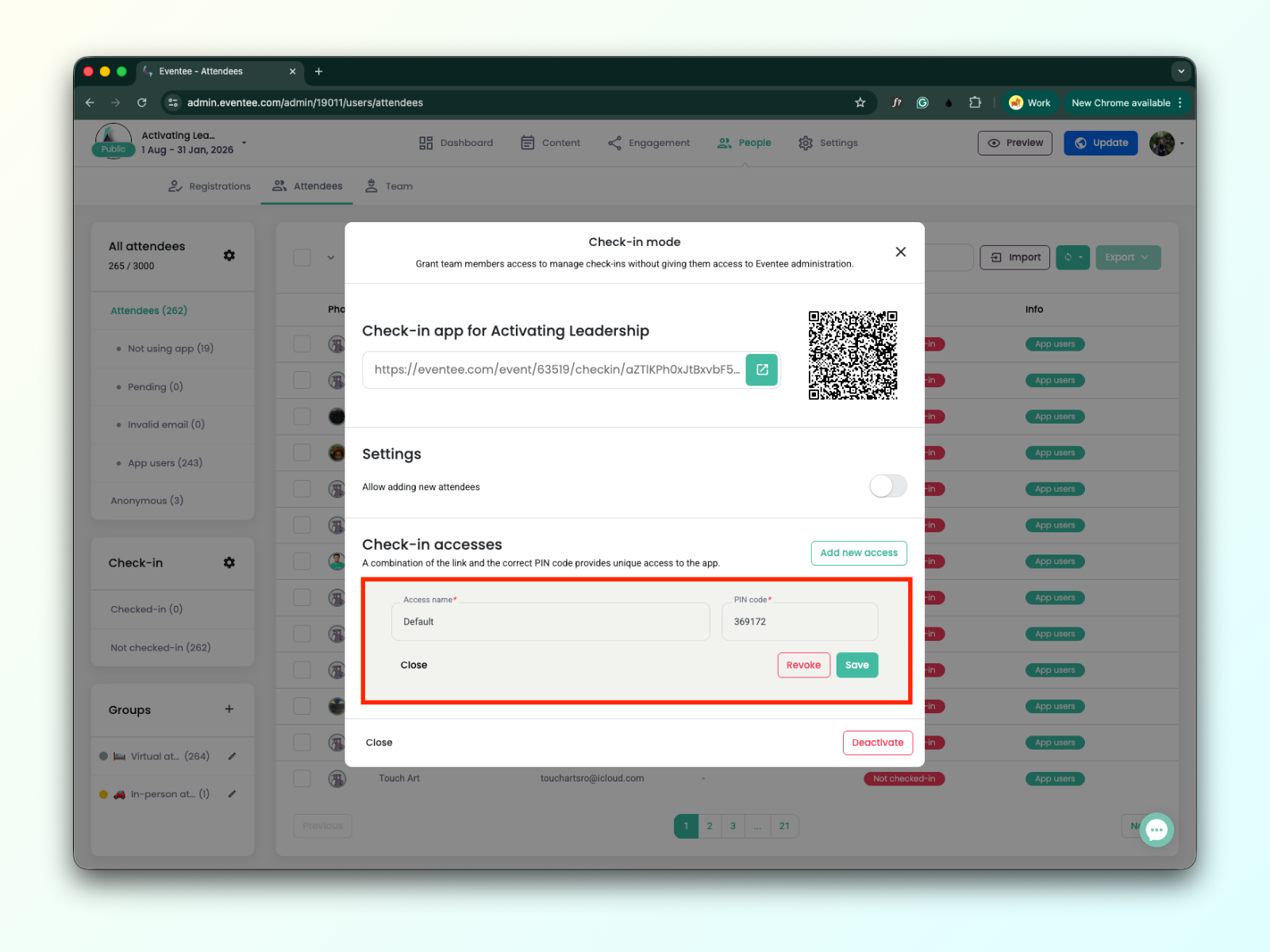
You can edit the access name and PIN code
Clicking on save will save the edited data
Clicking on ‘Revoke’ disables the access
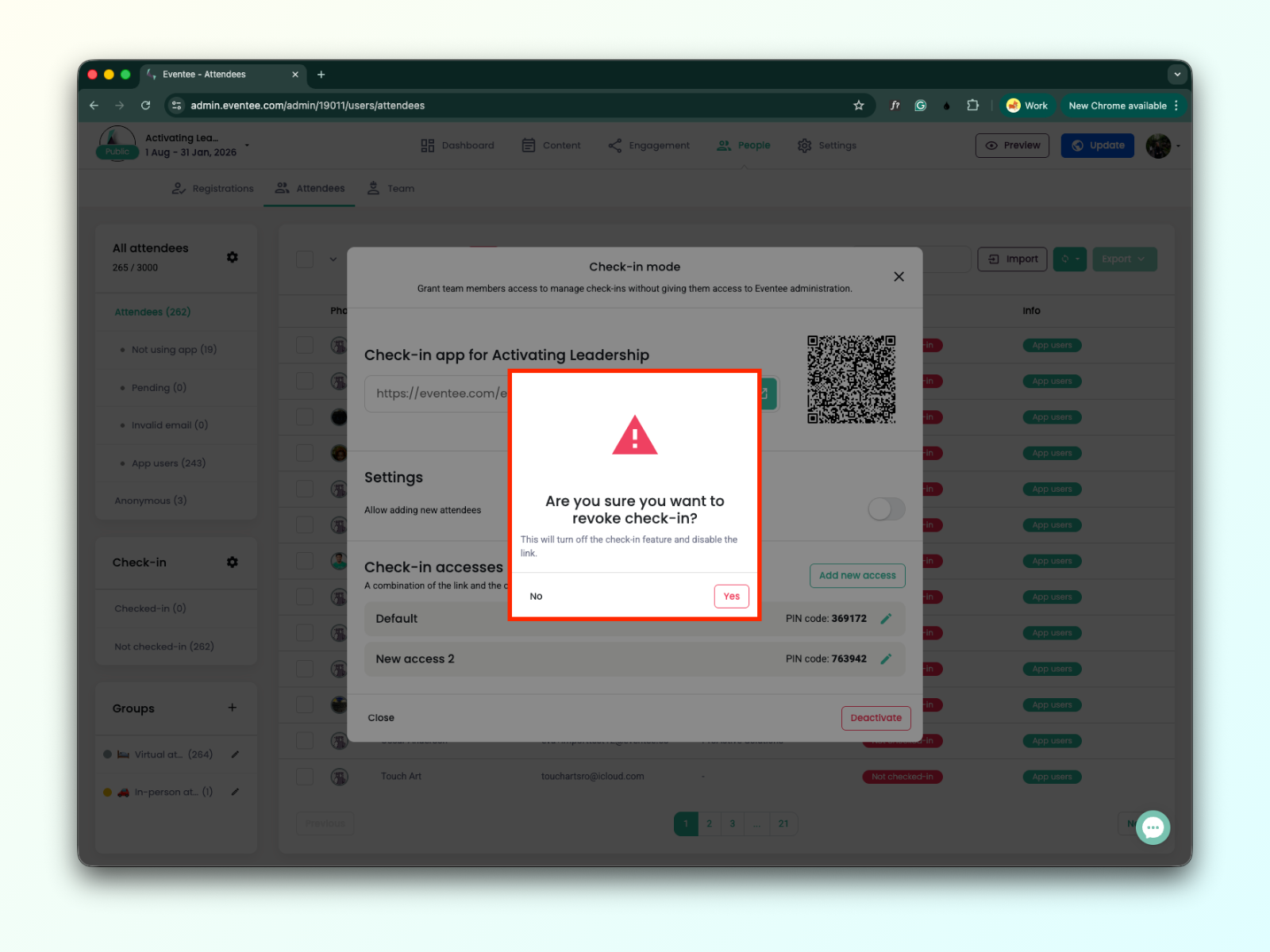
You can deactivate the check-in.
Clicking the ‘Deactivate’ button will disable the check-in feature and the link.
When the check-in is set up, you can provide the link and PIN code and grant check-in staff members access to the check-in app without giving them access to the Eventeee administration.
Learn more about how the Eventee Check-in App works.