In this article, you'll find out everything there is to know about our Gamification feature.
The Gamification feature lets your attendees earn points for app interactions and rank on the event leaderboard. You can customize the game rules and boost engagement where it matters most based on your strategy. You can also motivate your attendees by setting up a prize.
By default, attendees are automatically featured in the Gamification as soon as they earn some points. If they don't wish to participate, they can leave the game at any time. Even after they leave, they will still be able to see the Gamification Leaderboard, and if they change their mind later, they can easily rejoin the game.
On the other hand, if they don't follow the rules, you can choose to disqualify them at any time through your event administration. We will dive more into this topic later.
Please be aware that the Gamification feature works only for published events and that organizers are automatically disqualified; this means you cannot try it out with our Trial version.
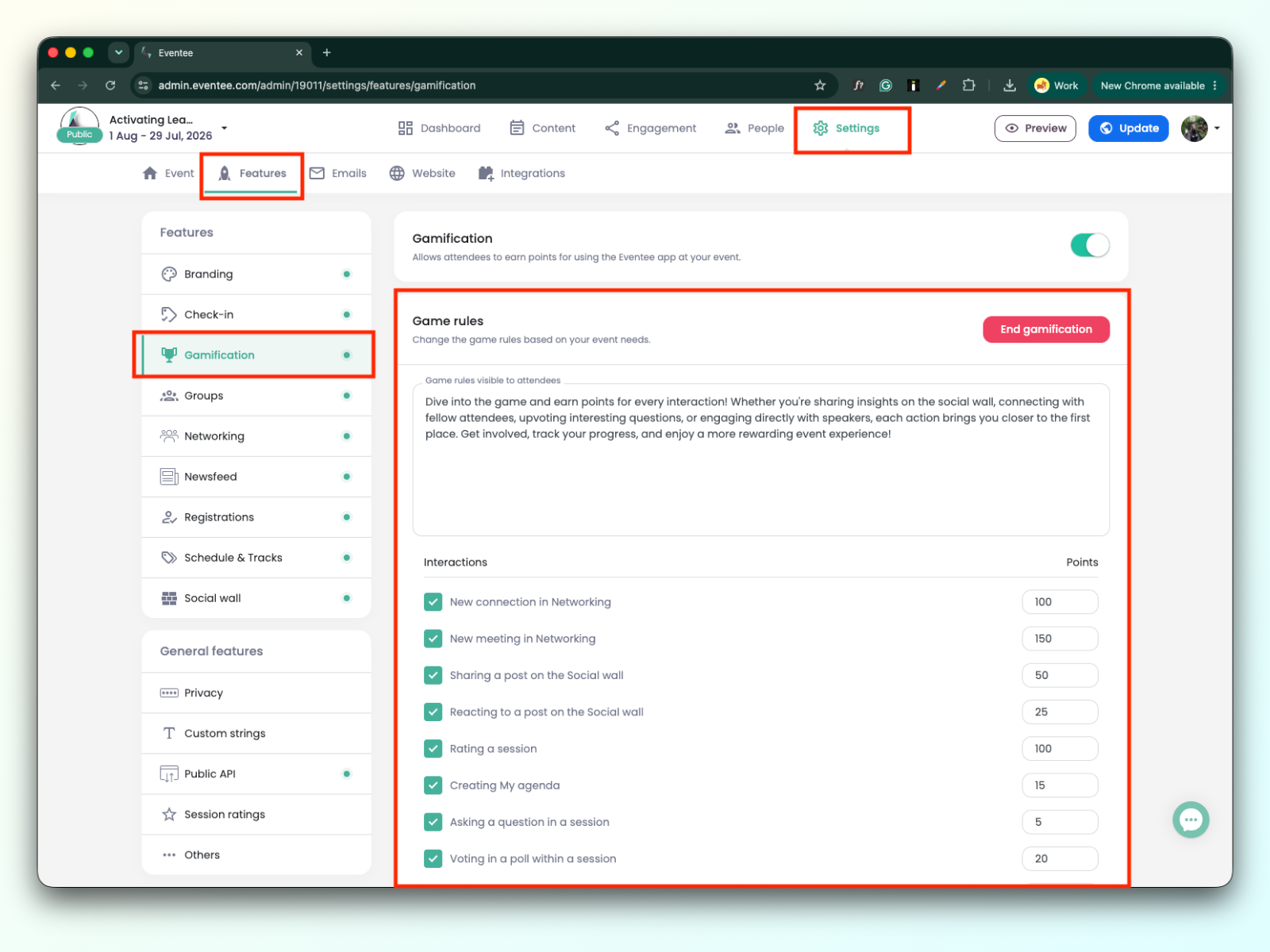
Now that we know some basics about Gamification, let's move on to the game setup. Please head over to the Settings -> Features -> Gamification → Game rules.

在这里您可以设置您的游戏规则或完全删除它们。
您还可以决定参与者可以获得的互动和积分集合。任何0分的互动会自动禁用。
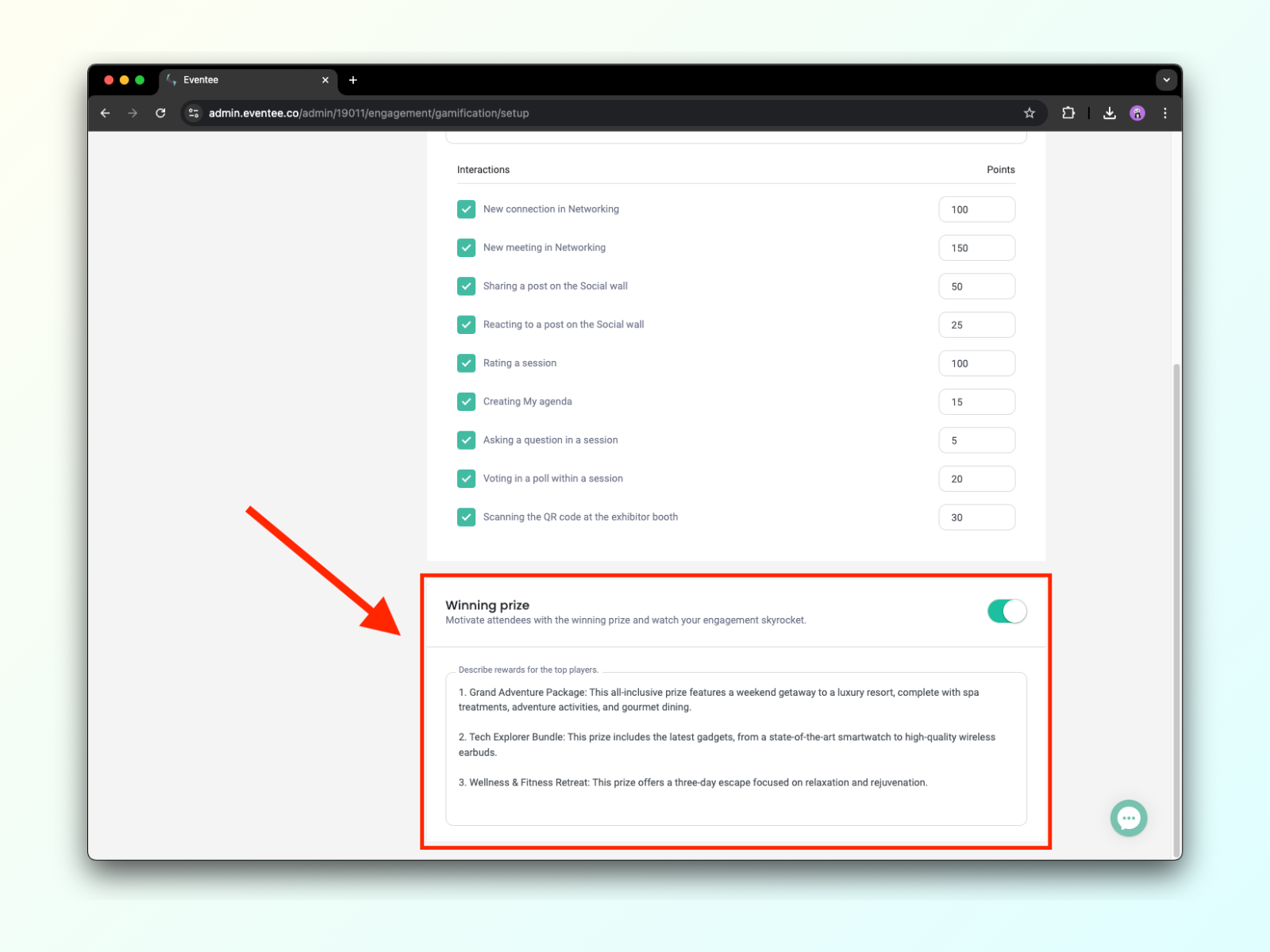
您可以选择用获胜奖品来激励参与者。
我们目前提供9种不同的互动,参与者可以通过这些互动获得积分。其他(自定义)互动不被追踪,因此,它们不能用于游戏化。在本部分中,我们将讨论如何追踪支持的互动。
新的连接:与会者在应用程序内建立的每个新的网络连接都会获得积分
网络中的新预定会议:当与会者在私人聊天中接受对方的会议提议时,会安排一次网络会议
分享帖子:社交墙上的新批准帖子(与会者仅因发布而获得积分,不因帖子上的点赞而获得积分)
对帖子做出反应:与会者对社交墙上其他与会者的帖子的每个反应都会获得积分(例如:一个与会者点赞5个帖子,每个互动获得5个积分 = 总共25个积分)
评分会议:任何会议评分(带或不带评论)
创建我的议程(仅一次):点赞讲座或预订工作坊
提问:任何会议中的每个新批准问题
在投票中投票:进行中的投票中的新投票
扫描二维码:扫描展商的二维码
由于交互扫描展商展位的二维码比较复杂,让我们仔细看一下。
每个展商的二维码可以在其个人资料中的内容 -> 合作伙伴中找到。该代码在展商个人资料首次保存后自动生成,因此如果您看不到它,请保存您的展商个人资料。请注意,此功能仅适用于展商。
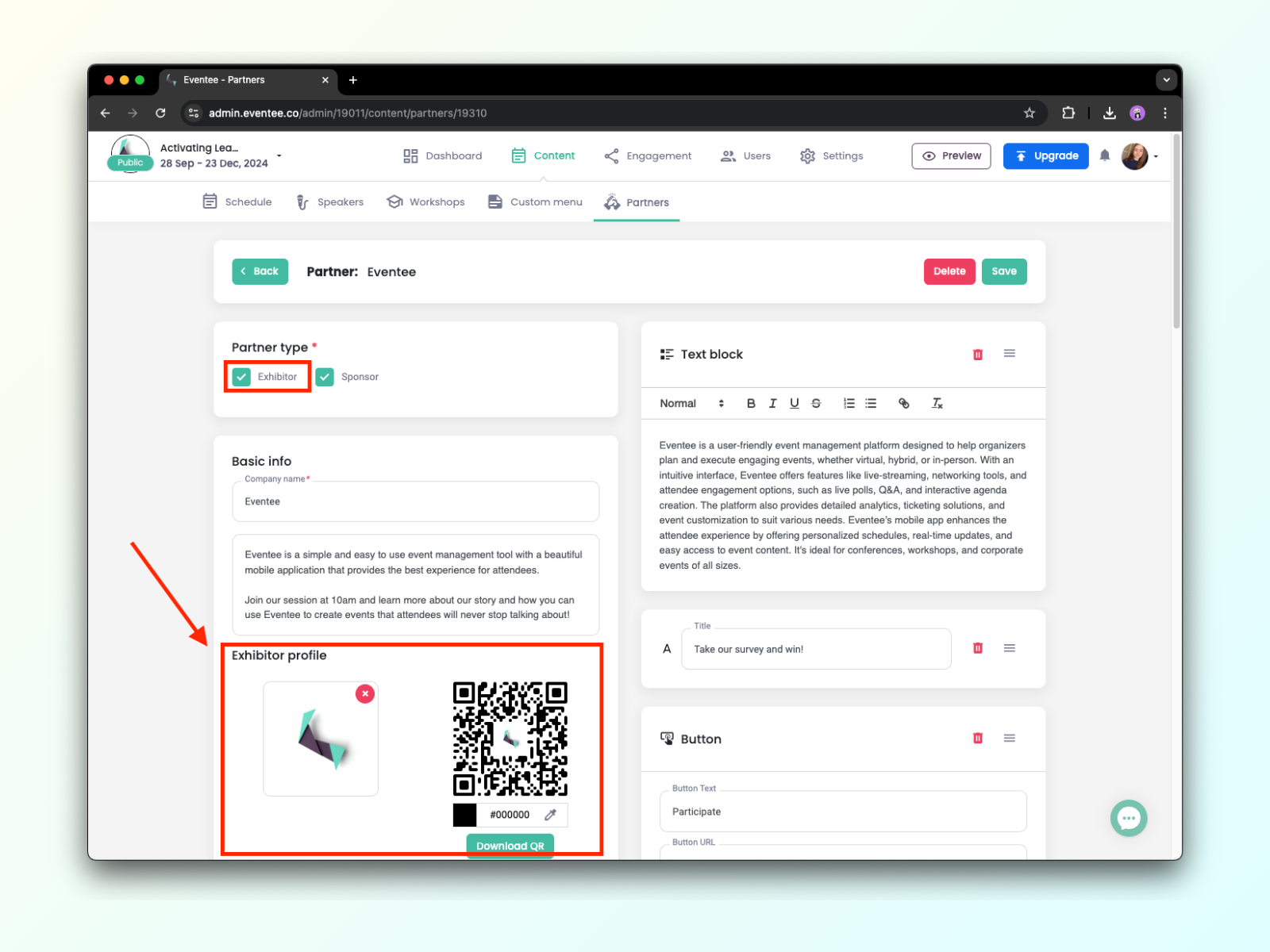
您可以下载二维码并打印出来或发送给您的展商。将其放在展商展位上的显眼位置将帮助参与者轻松发现它。展商也可以在参与者在其展位与他们互动后提供它。
扫描代码将打开Eventee 应用中的展商个人资料。
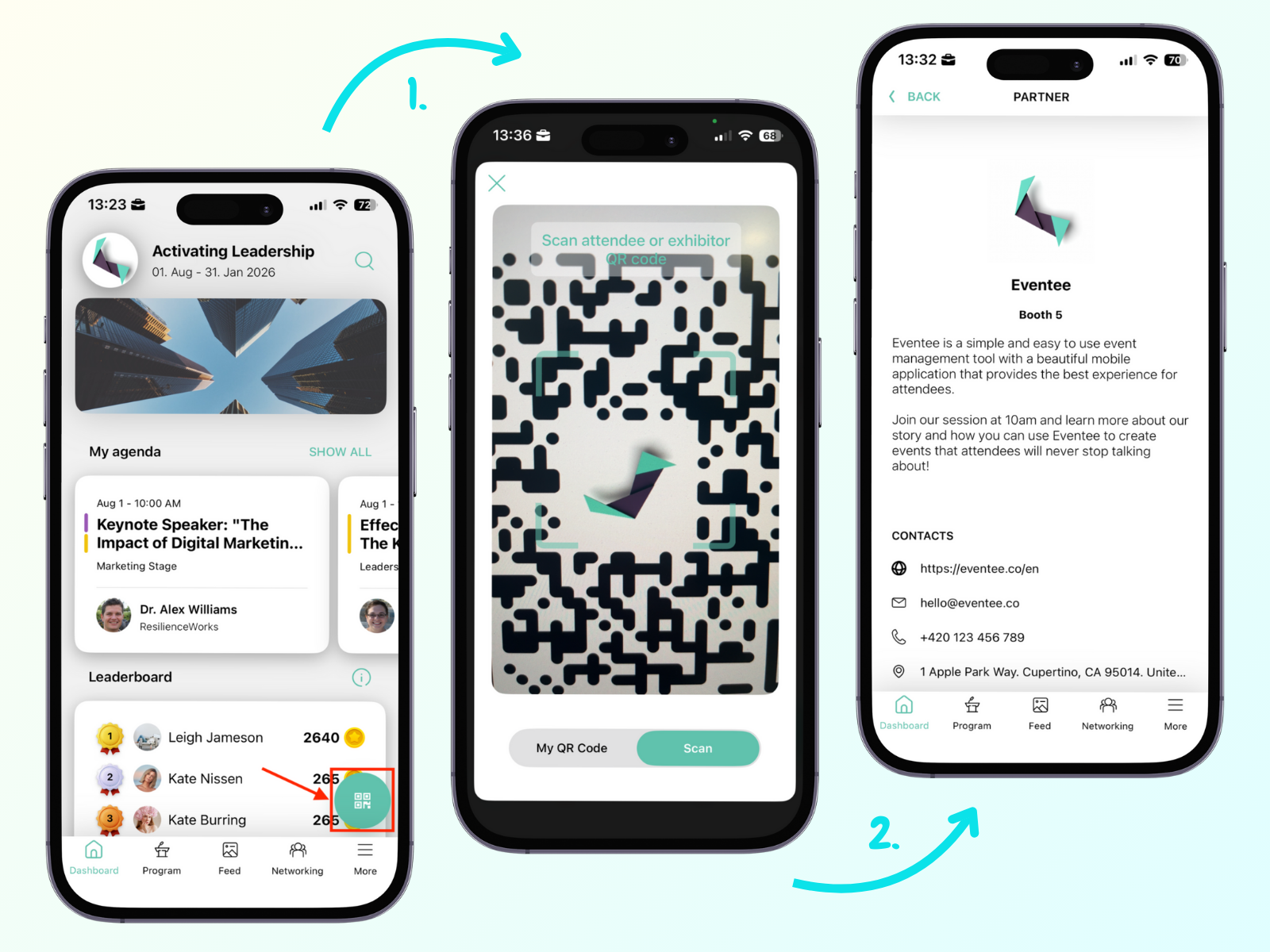
如果他们没有该应用,代码将重定向用户到应用商店下载 Eventee 应用。
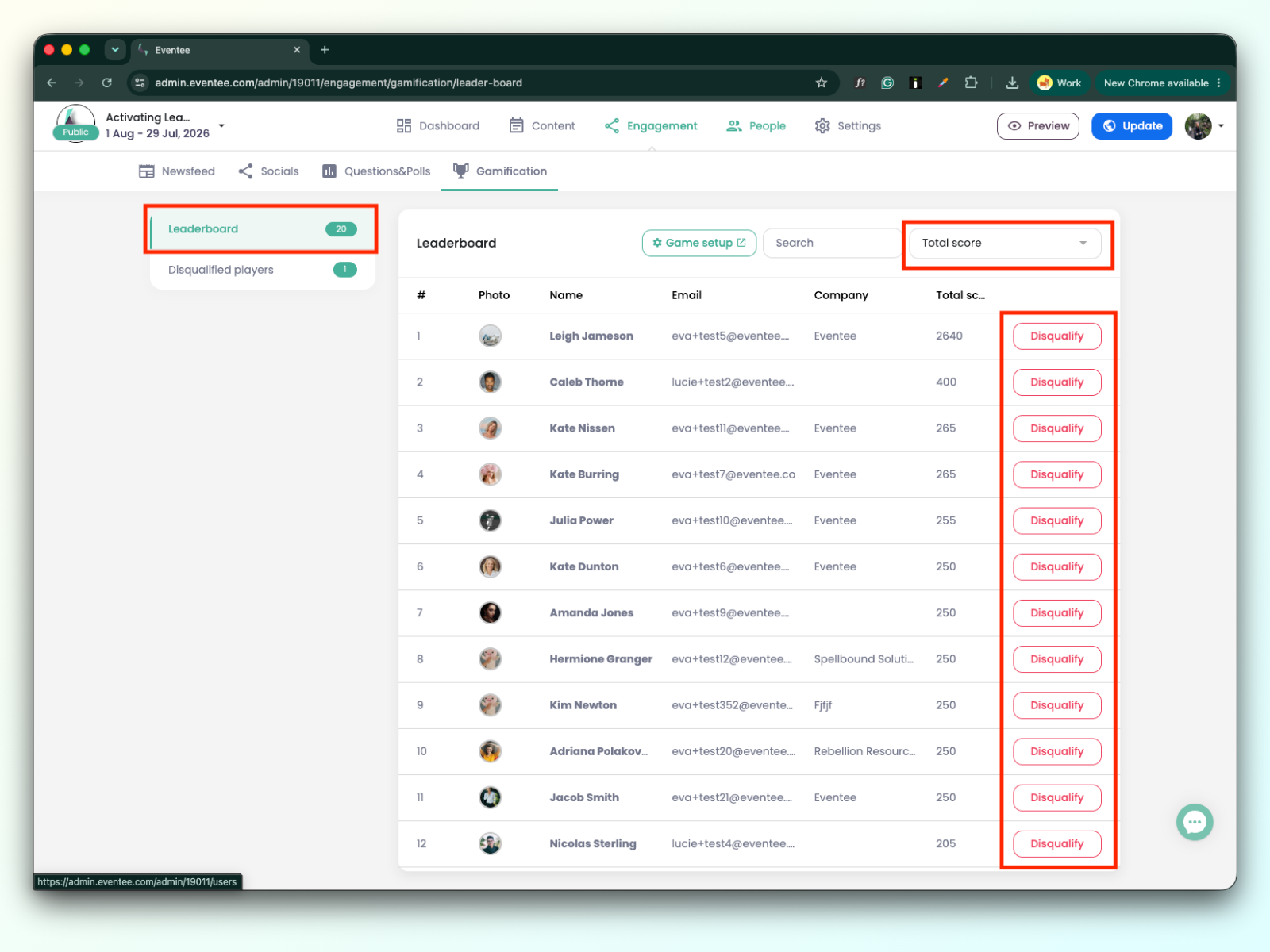
在排行榜上,参与者可以轻松查看排名靠前的玩家,包括他们的分数和个人资料。作为组织者,您可以从您的管理后台了解更多信息。您可以看到参与者从特定活动中获得了多少分数,您也可以在认为合理的情况下取消玩家的资格。
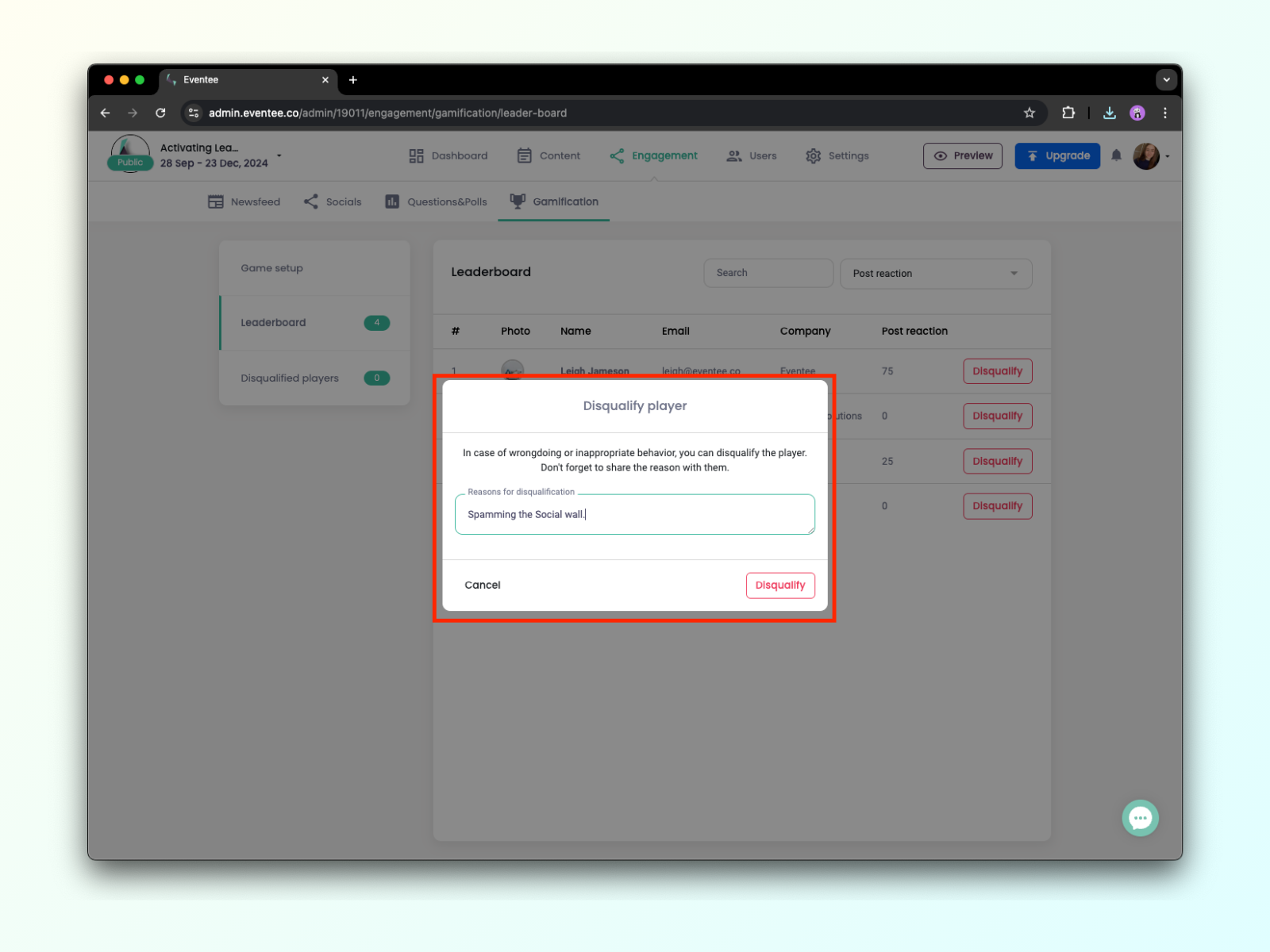
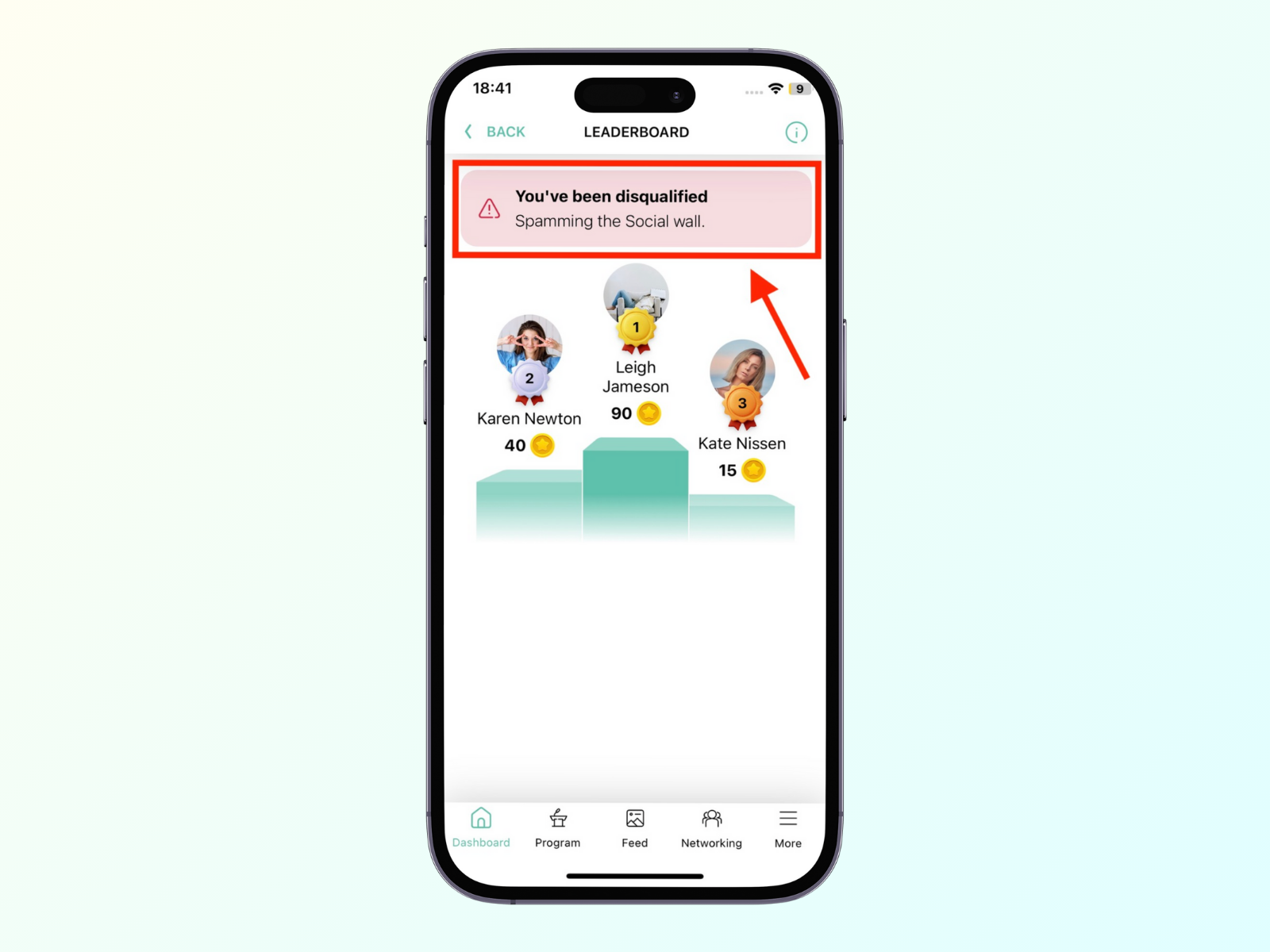
如果您希望取消某人的资格,您必须始终提供一个原因。被取消资格的玩家将在应用中看到此原因。
请注意,目前无法导出任何游戏化数据。
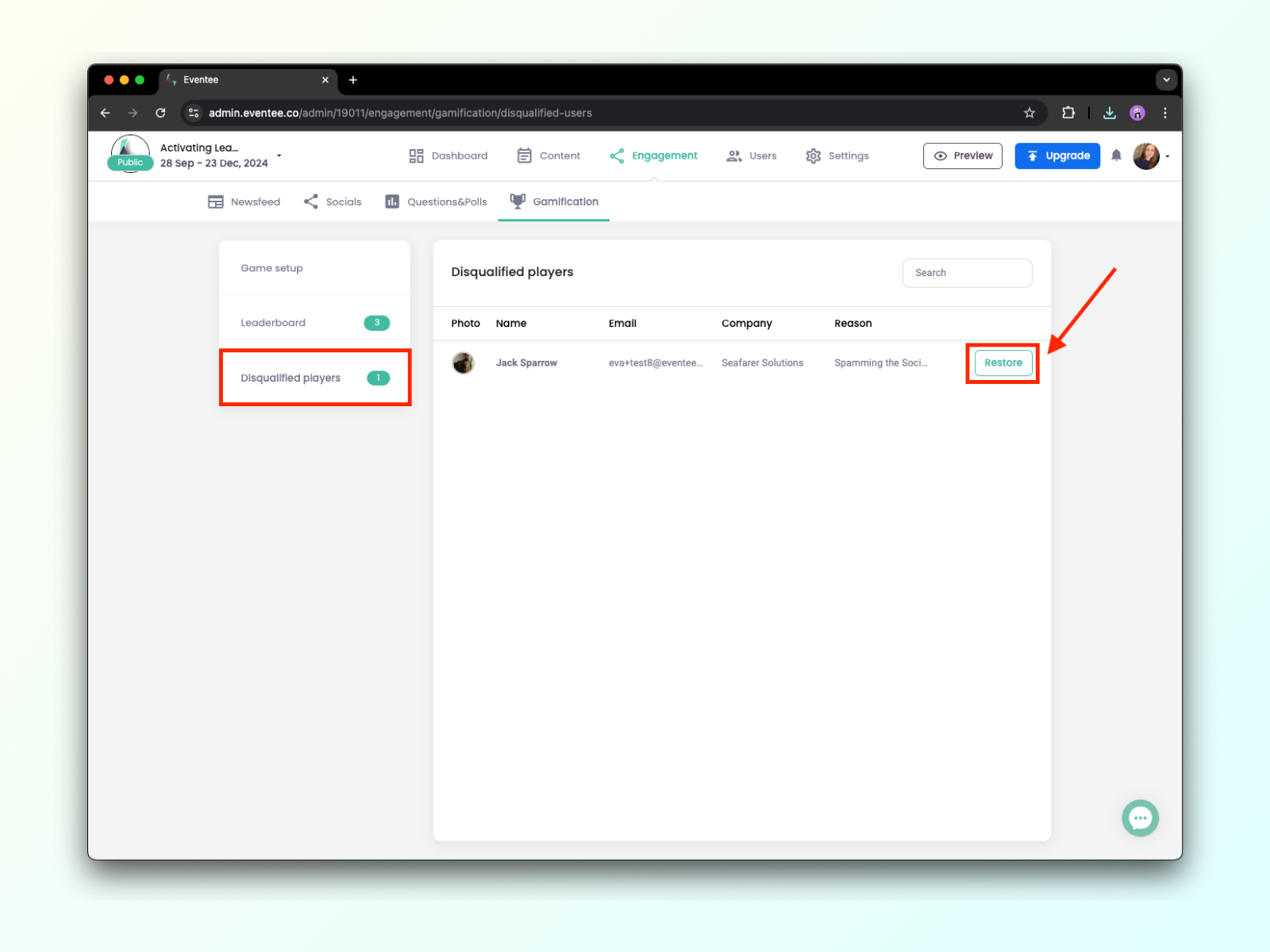
在此选项卡中,您可以看到所有已被取消资格的玩家,或已自行离开游戏的玩家。那些被您(或其他管理员)取消资格的玩家将始终填写原因。那些自行离开的玩家将没有原因。
如果玩家自行离开,他们可以随时重新加入游戏,并将恢复离开前的积分。
您也可以恢复玩家进入游戏,包括那些已被取消资格的玩家和那些自行离开的玩家。
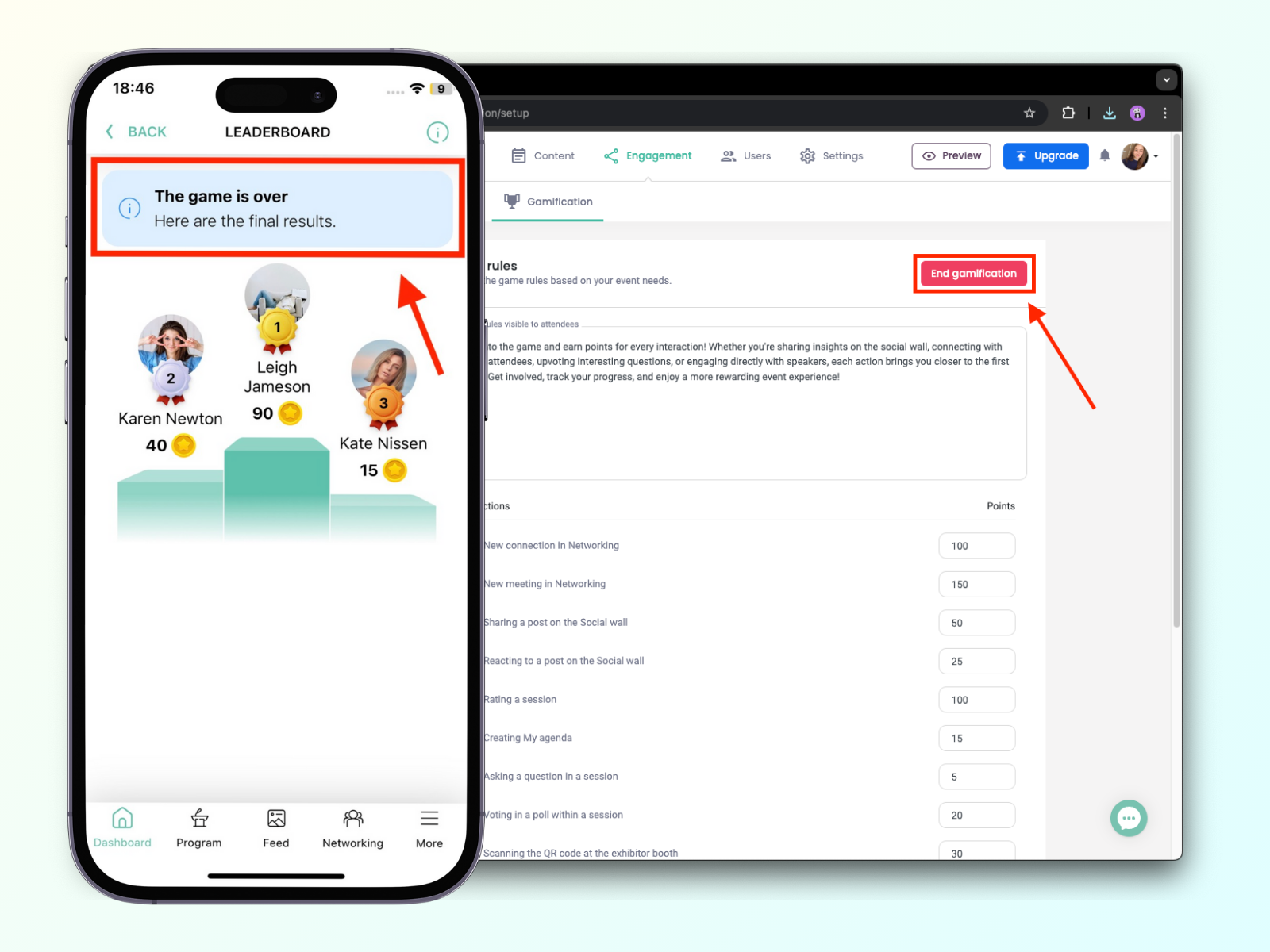
如果游戏结束,您可以使用管理界面中的结束游戏化按钮来停止计算积分。参与者不会收到关于游戏结束、获胜或失败的任何通知。通知获胜者是您的责任。