A veces, los nombres de sección predeterminados no tienen sentido (por ejemplo, en lugar de 'speakers' tiene 'performers'). Para este y muchos otros casos, puede aprovechar una función llamada Custom Strings. Esta función le permite renombrar las secciones en la página de inicio de su evento, aplicación web y aplicación móvil y personalizarlas según las necesidades de su evento.

Actualmente, puede renombrar estos títulos de sección:
About the event - The additional event description with optional video
Join event - The button that takes your attendees to the event app (web or mobile)
Agenda - Your event schedule
Speakers - The list of all your speakers
Partners - The title for the sponsors and exhibitors section in mobile apps
Exhibitors - The section that displays Exhibitors’ logos
Sponsors - The section that displays clickable Sponsors' logos
Event information - The section with your Custom menu items
Contact information - The section with a map and a red pin indicating where your event is taking place
”Buy a ticket” button - The button that redirects your attendees to a specified URL.
“Register” button - The button that redirects your attendees to a registration form.
Vaya a Configuración -> Funciones → Funciones generales → Cadenas personalizadas
Renombre las secciones escribiendo el nuevo nombre en el campo proporcionado
Los cambios se guardan automáticamente
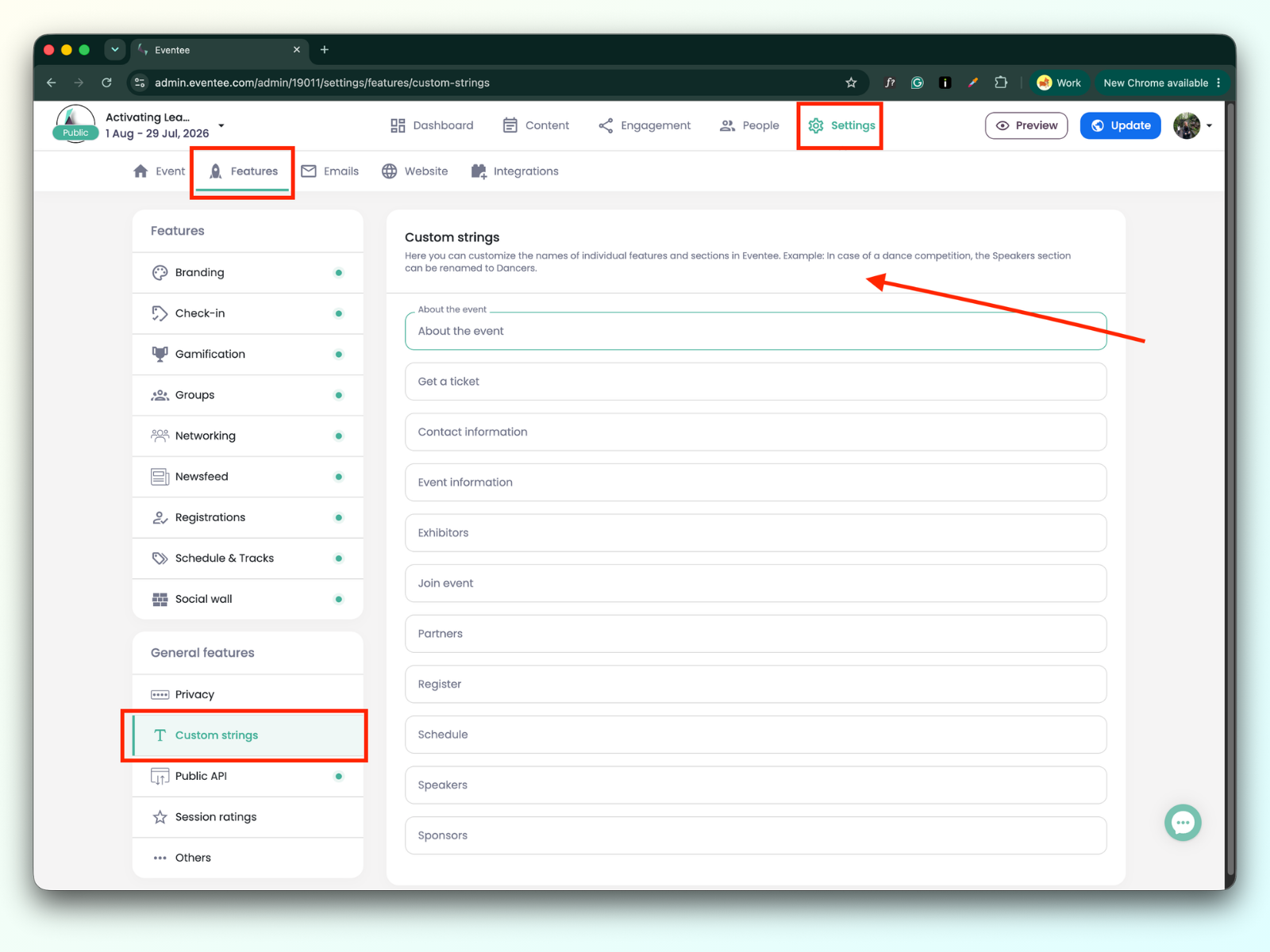
Una vez guardada, la cadena se cambiará en todas las plataformas de Eventee.