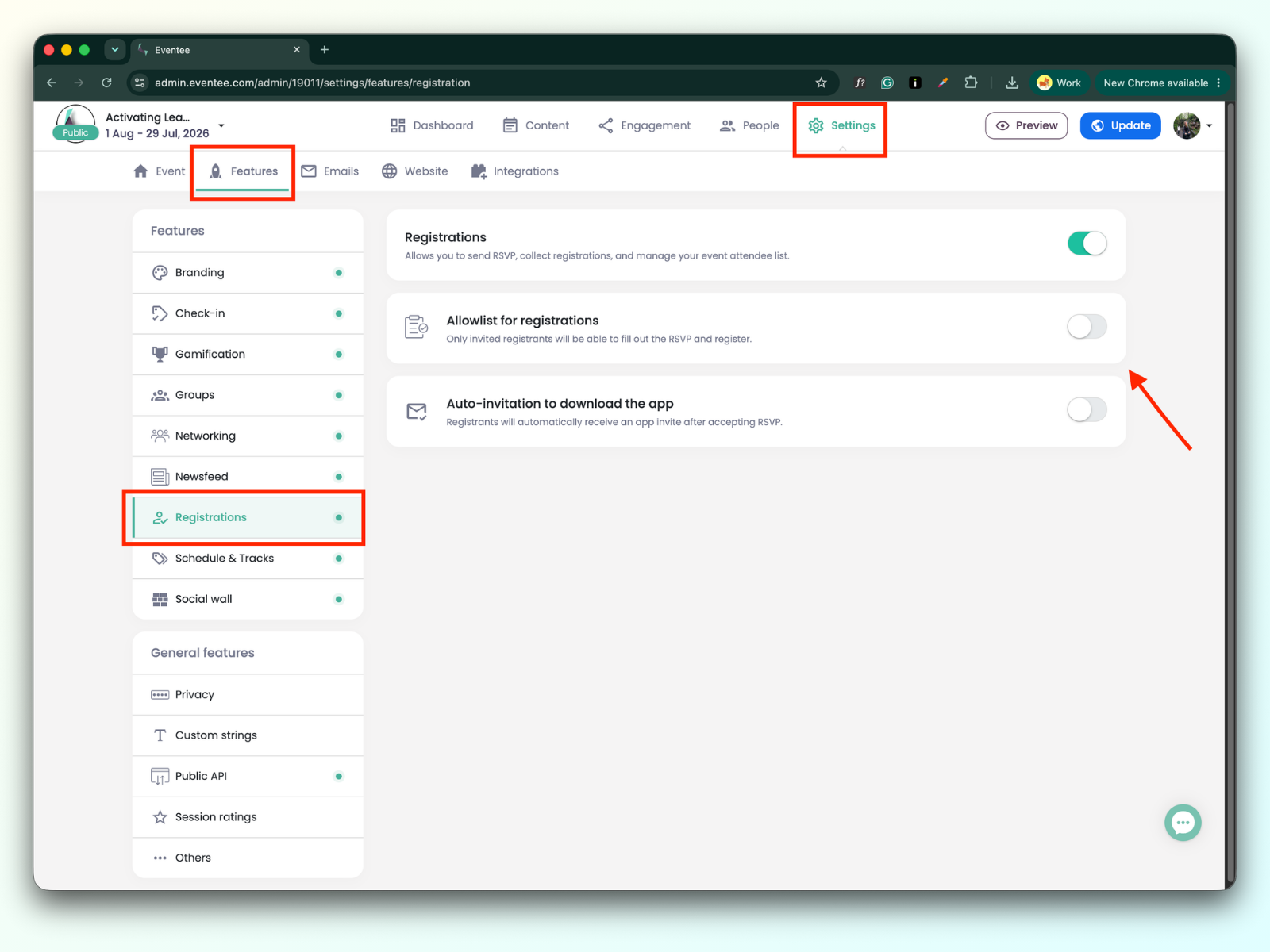
With Eventee’s registrations, you can set up an allowlist, which ensures that only invited registrants can RSVP, and auto-invitations to download the app. We refer to these features as Registration behavior.
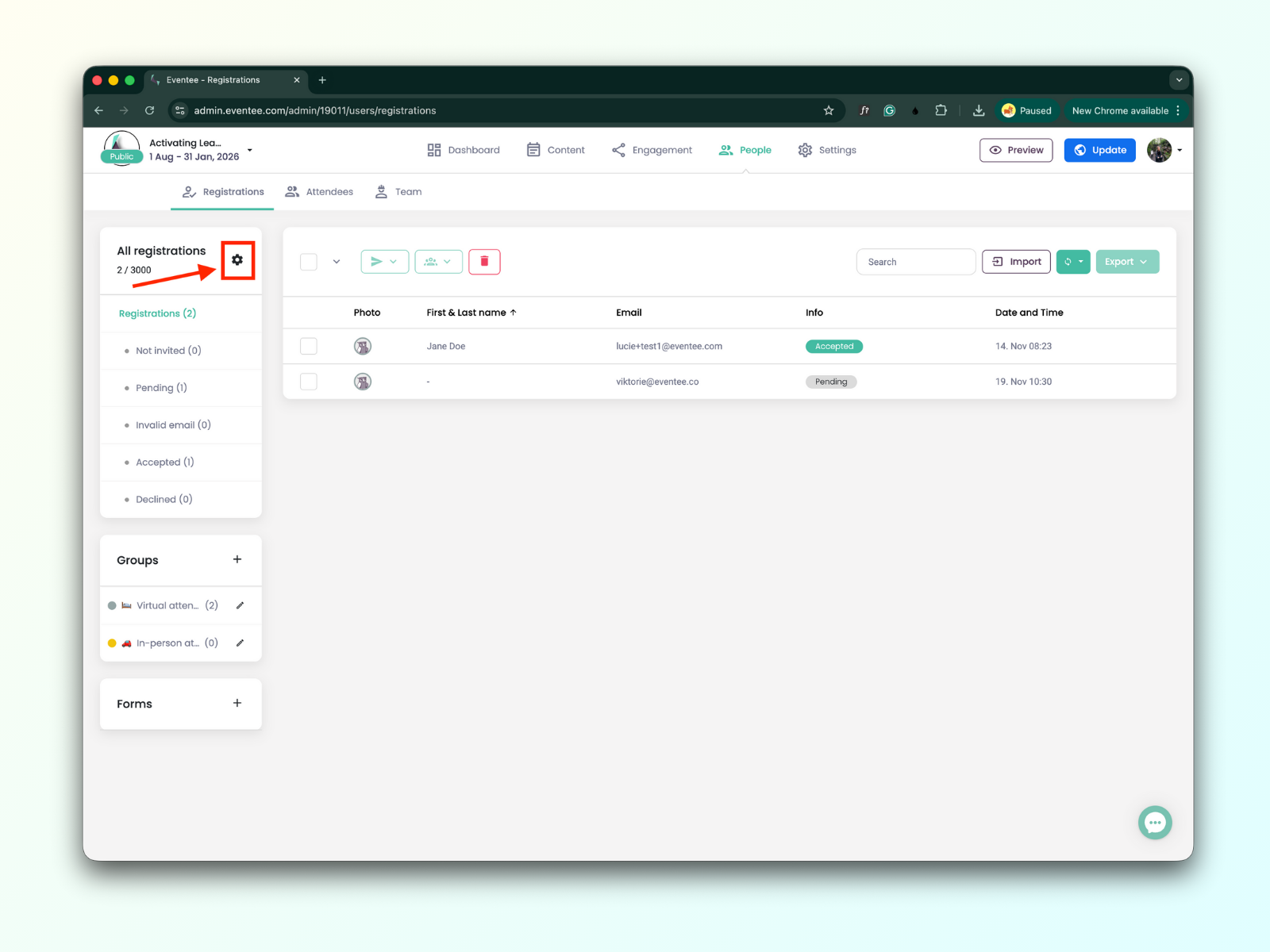
You can manage registration behavior in:
Settings → Features → Registration
People → Registrations → Settings icon
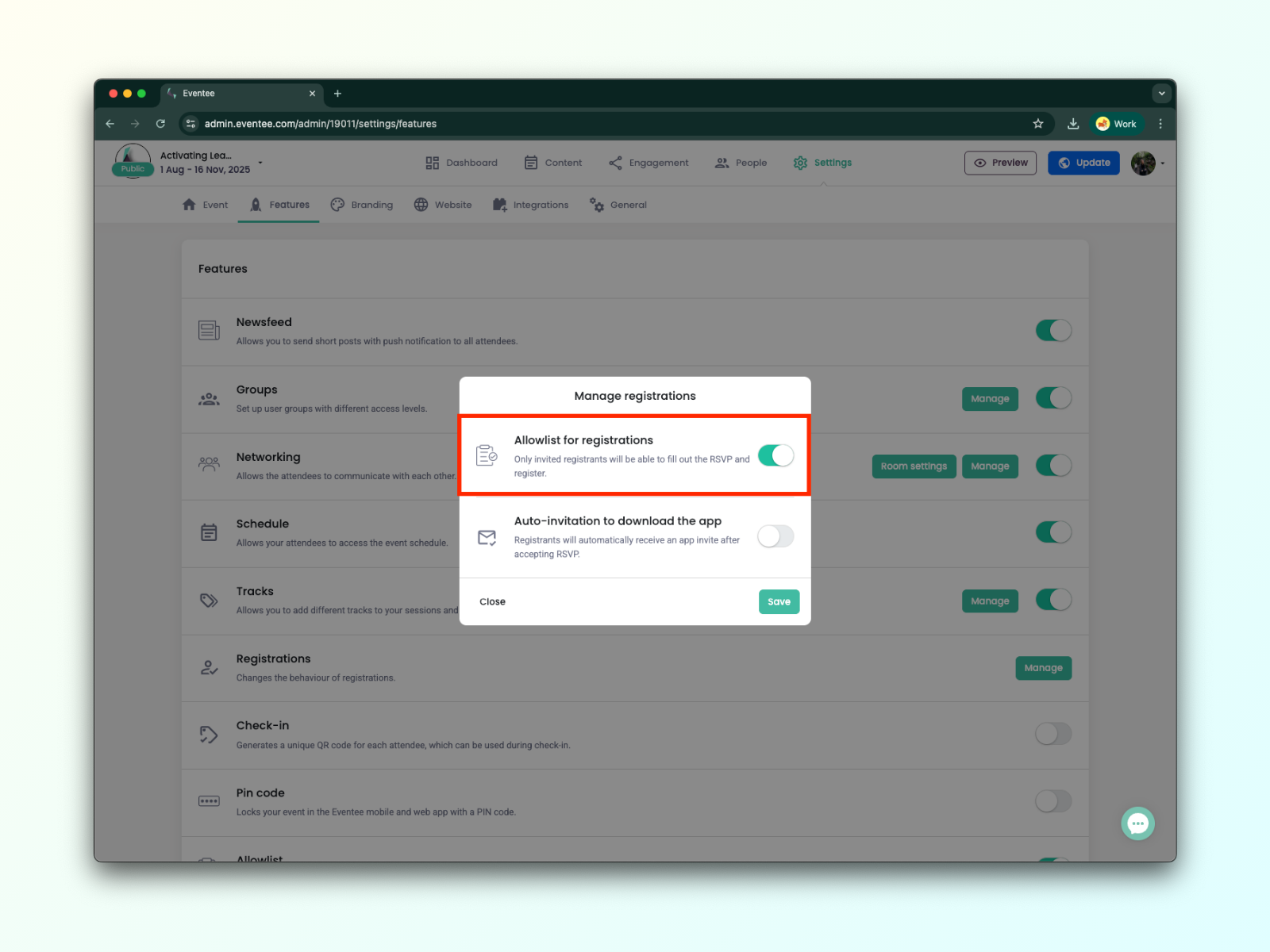
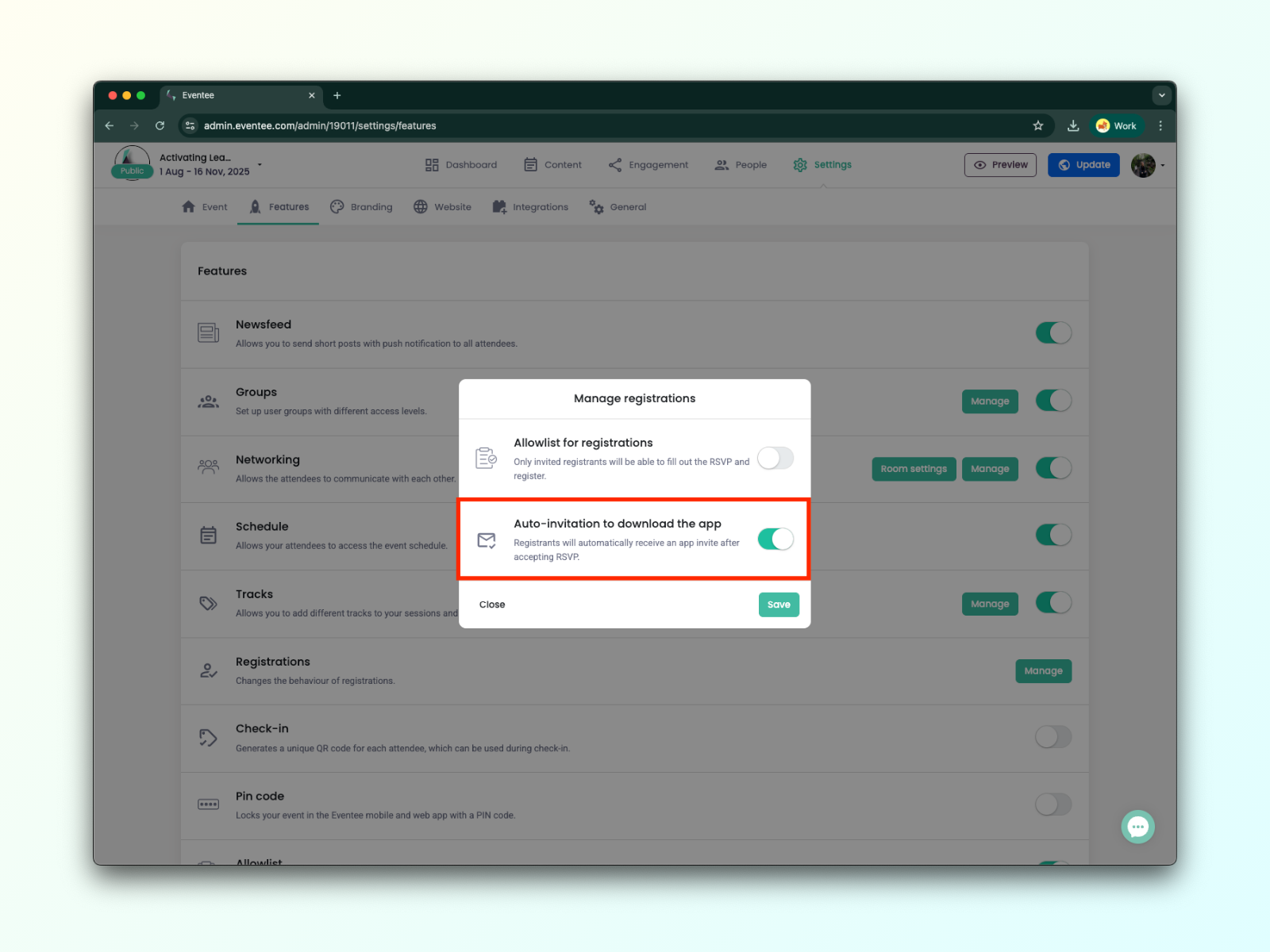
You can set up the Allowlist for registrations and Auto-invitation to download the app.
If enabled, only invited registrants will be able to fill out the RSVP and register.
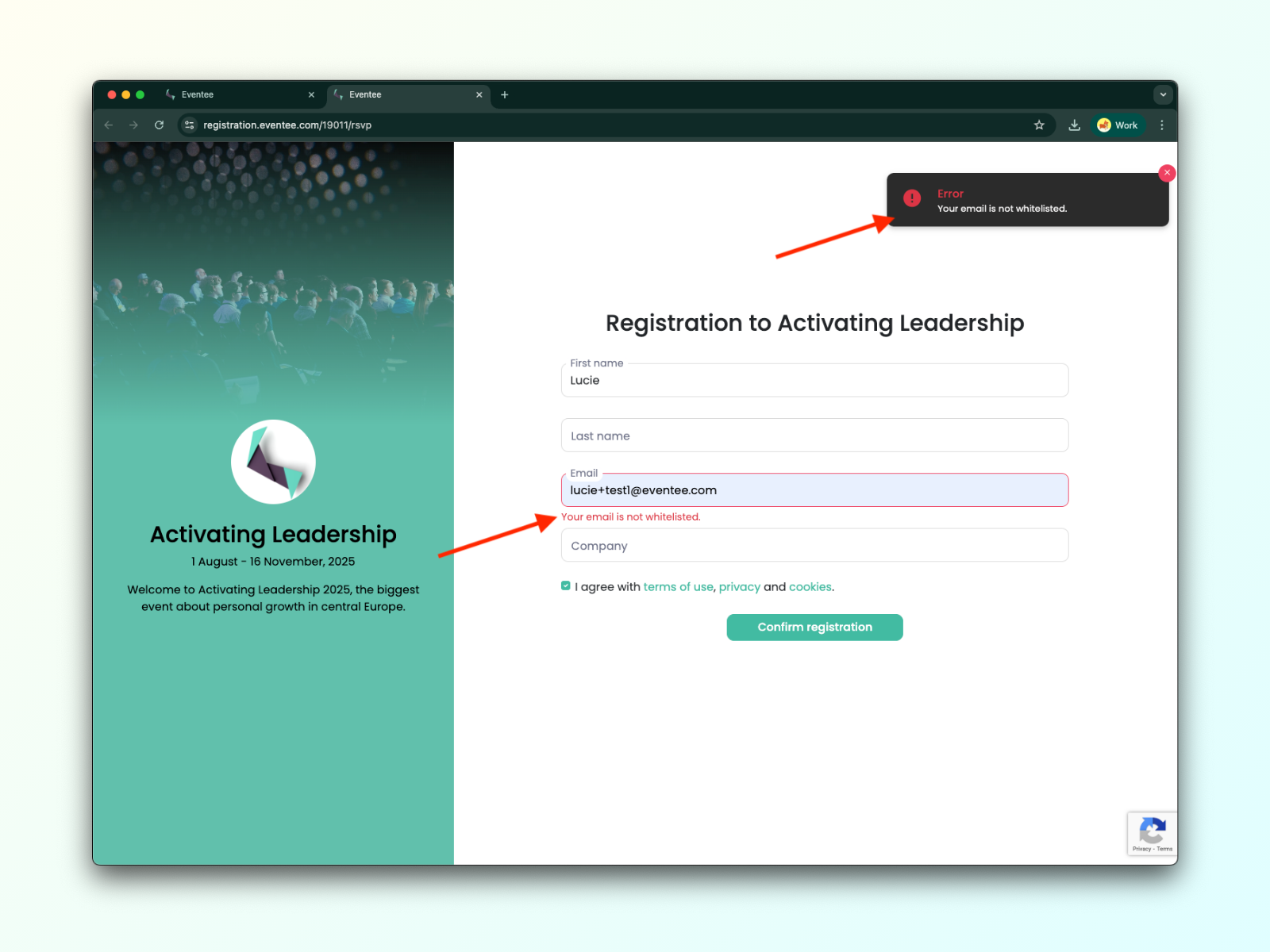
If an uninvited registrant fills out the registration form, they will see this warning message: "Your email isn’t on the allowed list."
If enabled, the person registering will automatically receive an email invitation to the app after confirming their participation.
If the person registering declines to RSVP, they'll only receive a thank-you email; the invitation email to download the app will not be sent.